Auth header
x-api-key: YOUR_API_KEYContent-Type
application/jsonBest for
Server-to-server integrations, automation workflows, internal dashboards, partner apps
Prerequisites
Valid API plan · API key issued per workspace · HTTPS requests only
Generate a video from a prompt or script with customizable voice, visuals, music, and branding.
import fetch from "node-fetch";

const API_KEY = "api-key"; // Replace with your Golpo API key

const payload = {
  prompt: "Explain the quarterly roadmap",
  bg_music: "engaging"
};

const BASE_URL = "{BASE_URL}"; // You will receive this when creating an API key
const response = await fetch(`${BASE_URL}/api/v1/videos/generate`, {
  method: "POST",
  headers: {
    "Content-Type": "application/json",
    "x-api-key": API_KEY
  },
  body: JSON.stringify(payload)
});

const data = await response.json();
console.log(data);
Run with: node --env-file=.env generate.js
Retrieve videos belonging to the authenticated user. Supports limit and offset query params.
import fetch from "node-fetch";

const BASE_URL = "{BASE_URL}"; // You will receive this when creating an API key

// Query params:
//   limit  — max number of videos to return (optional)
//   offset — number of videos to skip (optional, for pagination)
const response = await fetch(`${BASE_URL}/api/v1/videos?limit=10&offset=0`, {
  headers: {
    "x-api-key": "api-key"
  }
});

const data = await response.json();
console.log(data.videos); // array of video objects
console.log(data.total);  // total number of videos
Run with: node --env-file=.env list-videos.js
Retrieve metadata for a single video by ID.
const BASE_URL = "{BASE_URL}"; // You will receive this when creating an API key
const VIDEO_ID = "video_id";

const response = await fetch(`${BASE_URL}/api/v1/videos/${VIDEO_ID}`, {
  headers: { "x-api-key": "api-key" }
});
console.log(await response.json());
Run with: node --env-file=.env get-video.js <video_id>
Update video metadata. Only 'title' and 'is_public' can be updated.
const BASE_URL = "{BASE_URL}"; // You will receive this when creating an API key
const VIDEO_ID = "video_id";

const payload = { title: "Updated internal briefing" };

const response = await fetch(`${BASE_URL}/api/v1/videos/${VIDEO_ID}`, {
  method: "PATCH",
  headers: {
    "Content-Type": "application/json",
    "x-api-key": "api-key"
  },
  body: JSON.stringify(payload)
});

console.log(await response.json());
Run with: node --env-file=.env update-video.js <video_id>
Delete a generated video.
const BASE_URL = "{BASE_URL}"; // You will receive this when creating an API key
const VIDEO_ID = "video_id";

const response = await fetch(`${BASE_URL}/api/v1/videos/${VIDEO_ID}`, {
  method: "DELETE",
  headers: { "x-api-key": "api-key" }
});

console.log(await response.json());
Run with: node --env-file=.env delete-video.js <video_id>
Poll the status endpoint to track generation progress.
const BASE_URL = "{BASE_URL}"; // You will receive this when creating an API key
const JOB_ID = "job-id";

const response = await fetch(`${BASE_URL}/api/v1/videos/status/${JOB_ID}`, {
  headers: { "x-api-key": "api-key" }
});
console.log(await response.json());
Run with: node --env-file=.env job-status.js <job_id>
Return the authenticated API key user's plan, current stored credit balance, and API status.
const BASE_URL = "{BASE_URL}"; // You will receive this when creating an API key

const response = await fetch(`${BASE_URL}/api/v1/users/credits`, {
  method: "GET",
  headers: { "x-api-key": "api-key" }
});

console.log(await response.json());
// { "plan": "api_only", "credits": 124.5, "status": "active" }
Run with: node --env-file=.env user-credits.js
prompt or audio_clip is required. All other parameters are optional.| Parameter | Type | Default | Required | Description |
|---|---|---|---|---|
| prompt | string | — | Required | Main prompt/script for the video |
| upload_urls | array[string] | None | Optional | URLs of uploaded documents/images or local file paths. Use /upload-file endpoint to get URLs, or provide local paths directly |
| voice_instructions | string | "" | Optional | Describe how the narration voice should sound — accent, tone, pace, and delivery style. Examples: "Speak in a warm British accent with a calm, professorial tone", "Fast-paced sports commentator style". |
| just_return_script | boolean | false | Optional | Only generate script, don't create video/podcast NOTE:This parameter will not work with audio_clip (own-narration mode). Requests will follow the standard own_narration workflow regardless of the parameter value. |
| new_script | string | None | Optional | Use your own script instead of generating one. Useful for creating a video or podcast from an existing script. |
| onscreen_text_from_script_only | boolean | false | Optional | Generate on-screen text using script-source content only. No extra labels, captions, titles, or other words are added. NOTE:Supports normal prompt flow, script-based flow, and own-narration flow. Source text comes from generated script (prompt), provided script (new_script), or narration transcription source (audio_clip). |
| style | string | "solo-female-3" | Optional | Content/Narration Style Accepted values: "solo-female-3" (Female 1, default), "solo-female-4" (Female 2), "solo-male-3" (Male 1), "solo-male-4" (Male 2). |
| use_color | boolean | true | Optional | Enable color video generation |
| language | string | "en" | Optional | Language code (e.g., 'en', 'es') |
| display_language | string | None | Optional | Language for on-screen text in the video (e.g., 'English', 'Hindi', 'French'). Useful when the displayed text should differ from the narration language. Defaults to the value of language if omitted. Example: language: "Hindi", display_language: "English" — the narrator speaks in Hindi while all on-screen text, titles, and labels are shown in English. NOTE:This parameter only works with Golpo Canvas. To use it, set use_2_0_style: true. |
| language_variants | array[string] | None | Optional | Generate additional language versions of the video alongside the primary `language`. Provide an array of supported languages (e.g. ['Spanish', 'French', 'hi']). A separate video will be generated for each specified language. Each language version is billed as a separate render. For example, a 2-minute video with 2 additional languages is billed as 3 renders × 2 minutes. Duplicate languages, including the primary language, are not allowed and will return a 400 error. NOTE:All language variants use the same prompt, duration, voice, and visual settings. Only the language changes for each variant. |
| variant_visuals_mode | string | "shared" | Optional | Controls how visuals are generated across language variants. `shared` (default) reuses the primary video's visuals across all language variants. `per_language` generates separate visuals for each language variant. |
| bg_music | string | None | Optional | Background music track |
| video_type | string | "long" | Optional | Video type: 'long' (horizontal) or 'short' (vertical) |
| audio_only | boolean | false | Optional | If true, generate podcast/audio only (no video) |
| timing | string | None | Optional | Video/Podcast timing/duration in minutes (as a string) or 'auto' to let the system determine duration. Accepted values: '0.25', '0.5', '1', '2', '4', '8', '10', '15', 'auto'. Examples: timing: "0.25" (15s), timing: "0.5" (30s), timing: "1" (1 min), timing: "2" (2 min), timing: "4" (4 min), timing: "8" (8 min), timing: "10" (10 min), timing: "15" (15 min), timing: "auto" (system-determined). "15" requires Enterprise Custom, or Scale with the Longer Videos add-on enabled. Other API plan/add-on combinations receive a 403. |
| include_watermark | boolean | false | Optional | Include watermark in video |
| logo | string | None | Optional | Custom logo for branding. Provide a URL (via /upload-file) or a local file path |
| logo_placement | string | "tl" | Optional | Controls where the logo is placed on the video when logo is provided and include_watermark is true. Valid values: 'tl' (top-left, default), 'tr' (top-right), 'bl' (bottom-left), 'br' (bottom-right). |
| video_instructions | string | "" | Optional | Visual instructions to guide how the video looks. Examples: "Show more graphs and charts", "Include more stock footage", "Use cinematic transitions", "Dark moody aesthetic with neon accents". |
| use_lineart_2_style | string | "false" | Optional | Golpo Sketch style selector. "false" (Classic, default), "classic_words" (Classic with words — same as Classic but renders a few key words/labels in the image), "true" (Improved), "advanced" (Formal), "whiteboard" (Dry Erase), "modern_minimal" (Professional Clean), "storytelling" (Crayon), "creative" (Creative), "vox" (Infographics), "chalkboard_black_on_white" (Chalkboard Black on White). NOTE:Do not use this when use_2_0_style is enabled (Golpo Canvas). |
| audio_clip | string | None | Optional | URL to audio/video file or local file path to use instead of generating script and TTS. Use /upload-file endpoint to get URLs, or provide local paths directly. Useful for generating a video from your own existing audio or video narration. |
| user_audio_in_video | array[integer] | None | Optional | List of video numbers that should use AI-generated narration audio instead of their original audio (e.g., [1, 3] means videos 1 and 3 get AI narration; unlisted user videos keep their original audio) Only applies when user_videos is provided. Videos in this list will use AI-generated audio instead of original audio. Videos not in this list keep their original audio. If omitted or empty, all user videos retain their original audio. |
| user_images | array[string] | None | Optional | List of image URLs or local file paths to insert into the video. Use /upload-file endpoint to get URLs, or provide local paths directly |
| user_images_descriptions | array[string] | None | Optional | List of descriptions for user images (one per image) Helps the AI understand what each image contains and where to place it in the video for the best visual context. |
| use_as_is | array[boolean] | None | Optional | List of booleans indicating whether to use images as-is without AI processing (one per image) When true, the original image is used directly with no AI animation. When false, the AI generates an animated version of the image for the video. |
| skip_animation | array[boolean] | None | Optional | List of booleans indicating whether to skip animation for images (one per image) When true, the image appears as a static frame with no drawing or transition animation. When false, the image gets animated transitions. |
| user_videos | array[string] | None | Optional | List of video URLs or local file paths to insert into the video. Use /upload-file endpoint to get URLs, or provide local paths directly |
| user_videos_description | array[string] | None | Optional | List of descriptions for user videos (one per video) Provides context to the AI about each video's content, helping it decide where and how to place each clip in the generated video. |
| is_public | boolean | false | Optional | Whether the video should be public (true) or private (false). Public videos appear in the Golpo video gallery. |
| use_2_0_style | boolean | false | Optional | Enable Golpo Canvas style video generation. NOTE:Use image_style to set the visual style for Golpo Canvas — if not provided, the default style will be used. Do not pass use_lineart_2_style when this is enabled. |
| image_style | string | None | Optional | Golpo Canvas image style. Unsuffixed values select the Expanded profile. For the ten pre-Notebook style families, append '_compact' to select the Compact profile. Notebook is Compact-only and remains unsuffixed. Allowed values: "chalkboard_white", "chalkboard_white_compact", "chalkboard_black_on_white", "chalkboard_black_on_white_compact", "neon", "neon_compact", "whiteboard", "whiteboard_compact", "modern_minimal", "modern_minimal_compact", "playful", "playful_compact", "technical", "technical_compact", "editorial", "editorial_compact", "marker", "marker_compact", "vox", "vox_compact", "notebook_infographic". NOTE:Only applicable for Golpo Canvas (use_2_0_style). Do not use with Golpo Sketch. |
| custom_style | string | None | Optional | Use your own custom visual style. First save a style (from an image URL, a video URL, or a text description) with POST /api/v1/custom-styles, then pass its id here. Works with both Golpo Canvas and Golpo Sketch — when set, image_style / use_lineart_2_style are ignored. NOTE:Requires a Business or above plan. Not allowed with audio_only=true (422). |
| input_images | array[string] | None | Optional | List of input image URLs or local file paths for Golpo Canvas. Use this when you want to solve a problem visually or base the video on specific images — the video will be generated around the provided images. NOTE:Only applicable for Golpo Canvas (use_2_0_style). Do not use with Golpo Sketch. |
| pen_style | string | None | Optional | Pen cursor style: 'stylus', 'marker', or 'pen'. NOTE:Only applicable for Golpo Canvas (use_2_0_style). Do not use with Golpo Sketch. |
| visual_animation_style | string | "auto" | Optional | Visual animation style for generated visual components in Golpo Canvas (for example: illustrations, diagrams, icons, arrows, and annotations). Default value: 'auto' (Golpo Canvas engine decides the animation style). Allowed values: 'auto', 'fade_in', 'sketch'. NOTE:Only applicable for Golpo Canvas (use_2_0_style). Do not use with Golpo Sketch. |
| show_pencil_cursor | boolean | false | Optional | Show a pencil cursor during sketch animations. If enabled, set pen_style to choose the cursor appearance. NOTE:Only applicable for Golpo Canvas (use_2_0_style). Do not use with Golpo Sketch. |
| pacing | string | "normal" | Optional | Pacing level: 'normal' (15s max per frame), 'fast' (10s max per frame). Works with both Golpo Sketch and Golpo Canvas. |
Content
Audio
Voice
Visual
Video Assets
Duration
Branding
Workflow
Create your custom style first, then reference it by custom_style_id
x-api-key.| Endpoint | Method | Description |
|---|---|---|
| {BASE_URL}/api/v1/custom-styles | GET | List your saved styles (newest first) |
| {BASE_URL}/api/v1/custom-styles | POST | Save a style from an image URL, video URL, or text description |
| {BASE_URL}/api/v1/custom-styles/{custom_style_id} | GET | Get one saved style |
| {BASE_URL}/api/v1/custom-styles/{custom_style_id} | DELETE | Delete one saved style |
Request body — POST /api/v1/custom-styles
| Field | Type | Required | Description |
|---|---|---|---|
| style_name | string (1–60) | Required | Display name for the style. |
| source | string (1–5000) | Required | An HTTPS URL to an image (moodboard, brand frame, illustration), an HTTPS URL to a video file (frames are sampled and analyzed for the still art style), or a free-text style description. Use /upload-file to host your own image or video and pass the returned file_url. |
| kind | string | Optional | Allowed values: "image" (source is an HTTPS image URL), "video" (source is an HTTPS video URL — frames are sampled and analyzed), or "text" (source is a style description). |
// 201 from POST /api/v1/custom-styles
{
  "success": true,
  "style": {
    "id": "7f3d5a2e-2c8e-4c0f-9c8f-9a2b1d3e4f56", // use as custom_style
    "style_name": "Brand moodboard",
    "source": "https://cdn.example.com/brand-moodboard.png",
    "kind": "image",
    "created_at": "2026-09-20T12:00:00Z",
    "updated_at": "2026-09-20T12:00:00Z"
  }
}// 200 from GET /api/v1/custom-styles
{
"success": true,
"styles": [
{
"id": "7f3d5a2e-2c8e-4c0f-9c8f-9a2b1d3e4f56",
"style_name": "Brand moodboard",
"source": "https://cdn.example.com/brand-moodboard.png",
"kind": "image",
"created_at": "2026-09-20T12:00:00Z",
"updated_at": "2026-09-20T12:00:00Z"
}
]
}
// DELETE returns { "success": true }Validation summary
| Situation | Status |
|---|---|
| Plan without Custom Style Support | 403 |
| style_id not found or not owned by the caller (GET, DELETE) | 404 |
| kind="image" or kind="video" with a non-HTTPS source | 422 |
Save a custom style from an HTTPS image URL, an HTTPS video URL, or a free-text description.
import fetch from "node-fetch";

const API_KEY = "api-key"; // Replace with your Golpo API key
const BASE_URL = "{BASE_URL}"; // You will receive this when creating an API key

// kind: "image" (HTTPS image URL) | "video" (HTTPS video URL) | "text" (style description)
const payload = {
  style_name: "Brand moodboard",
  source: "https://cdn.example.com/brand-moodboard.png",
  kind: "image"
};

const response = await fetch(`${BASE_URL}/api/v1/custom-styles`, {
  method: "POST",
  headers: {
    "Content-Type": "application/json",
    "x-api-key": API_KEY
  },
  body: JSON.stringify(payload)
});

const data = await response.json();
console.log("Style ID:", data.style.id); // pass as custom_style on /generate
Run with: node --env-file=.env create-custom-style.js
List the custom styles you have saved, newest first. Use the id of any entry as custom_style on /generate.
import fetch from "node-fetch";

const API_KEY = "api-key";
const BASE_URL = "{BASE_URL}";

const response = await fetch(`${BASE_URL}/api/v1/custom-styles`, {
  headers: { "x-api-key": API_KEY }
});

const { styles } = await response.json();
styles.forEach((s) => console.log(s.id, s.style_name, s.kind));
Run with: node --env-file=.env list-custom-styles.js
Retrieve one saved custom style by id. Returns 404 if the style does not exist or belongs to another account.
import fetch from "node-fetch";

const API_KEY = "api-key";
const BASE_URL = "{BASE_URL}";
const STYLE_ID = "7f3d5a2e-2c8e-4c0f-9c8f-9a2b1d3e4f56";

const response = await fetch(`${BASE_URL}/api/v1/custom-styles/${STYLE_ID}`, {
  headers: { "x-api-key": API_KEY }
});

const { style } = await response.json();
console.log(style);
Run with: node --env-file=.env get-custom-style.js
Delete a saved custom style. Videos already generated with it are not affected.
import fetch from "node-fetch";

const API_KEY = "api-key";
const BASE_URL = "{BASE_URL}";
const STYLE_ID = "7f3d5a2e-2c8e-4c0f-9c8f-9a2b1d3e4f56";

const response = await fetch(`${BASE_URL}/api/v1/custom-styles/${STYLE_ID}`, {
  method: "DELETE",
  headers: { "x-api-key": API_KEY }
});

console.log(await response.json()); // { "success": true }
Run with: node --env-file=.env delete-custom-style.js
/upload-file into upload_urls, the file is permanently deleted from storage after its text is extracted during generation. The same URL cannot be reused for another video or podcast — you must upload the document again via /upload-file to get a fresh URL for each new generation.multipart/form-data| Field | Type | Required | Description |
|---|---|---|---|
| file | File | Yes | Single file to upload (file metadata is used to generate presigned URL) |
Documents
PDF · DOCX · PPTX · TXT
Audio
MP3 · WAV · M4A · OGG
Video
MP4 · MOV · AVI · MKV
Images
JPG · PNG · GIF · WEBP
// Response from POST /api/v1/videos/upload-file
{
  "upload_url":   "https://...",  // Presigned PUT URL — upload the file here
  "file_url":     "https://...",  // Pass this into /generate
  "content_type": "application/pdf"
}const API_KEY = "api-key";
const BASE_URL = "{BASE_URL}";
// Step 1: Get presigned URL
async function uploadFile(file) {
const formData = new FormData();
formData.append('file', file);
const response = await fetch(`${BASE_URL}/api/v1/videos/upload-file`, {
method: 'POST',
headers: { 'x-api-key': API_KEY },
body: formData
});
const { upload_url, file_url, content_type } = await response.json();
// Step 2: Upload file to presigned URL
await fetch(upload_url, {
method: 'PUT',
headers: { 'Content-Type': content_type },
body: file
});
// Step 3: Return file_url for use in /generate
return file_url;
}
// Usage
const fileInput = document.querySelector('#file-input');
const fileUrl = await uploadFile(fileInput.files[0]);
console.log('File uploaded, URL:', fileUrl);
// Use fileUrl in your /generate requestuser_images and user_videos accept the file_url returned by /upload-file. local_path is also accepted for server-side usage. Descriptions are strongly recommended for best visual results.const API_KEY = "api-key";
const BASE_URL = "{BASE_URL}";
// Helper function to upload a file
async function uploadFile(file) {
const formData = new FormData();
formData.append('file', file);
const response = await fetch(`${BASE_URL}/api/v1/videos/upload-file`, {
method: 'POST',
headers: { 'x-api-key': API_KEY },
body: formData
});
const { file_url } = await response.json();
return file_url;
}
// Step 1: Upload images
const image1Url = await uploadFile(imageFile1);
const image2Url = await uploadFile(imageFile2);
// Step 2: Upload video
const video1Url = await uploadFile(videoFile1);
// Step 3: Generate video with user assets
const generatePayload = {
prompt: "Create a product showcase video",
user_images: [image1Url, image2Url],
user_images_descriptions: [
"Product front view with logo",
"Product in use by customer"
],
use_as_is: [false, false], // Process both images with AI
skip_animation: [false, true], // Animate first image, skip animation for second
user_videos: [video1Url],
user_videos_description: ["Customer testimonial video"],
video_type: "long",
include_watermark: false
};
const generateResponse = await fetch(`${BASE_URL}/api/v1/videos/generate`, {
method: 'POST',
headers: {
'Content-Type': 'application/json',
'x-api-key': API_KEY
},
body: JSON.stringify(generatePayload)
});
const result = await generateResponse.json();
console.log('Job ID:', result.job_id);import fetch from "node-fetch";
import path from "path";
const API_KEY = "api-key";
const BASE_URL = "{BASE_URL}";
// Example: Using local file paths (server-side only)
// Paths are relative to where the script runs or absolute paths
const payload = {
prompt: "Create a comprehensive product demo video",
upload_urls: [
"./documents/product-spec.pdf", // Relative path (Linux/Mac/Windows)
"C:\\Users\\Documents\\brief.docx", // Windows absolute path
"/home/user/documents/slides.pptx", // Linux/Mac absolute path
"~/Documents/research.txt" // Home directory expansion (Linux/Mac)
],
logo: "./assets/company-logo.png",
user_images: [
"./images/product-front.jpg",
"./images/product-in-use.jpg"
],
user_images_descriptions: [
"Product front view with branding",
"Product being used by customer"
],
use_as_is: [false, false],
skip_animation: [false, true],
style: "solo-female-3",
bg_music: "engaging",
video_type: "long",
include_watermark: false,
use_color: true,
language: "en",
timing: "4"
};
const response = await fetch(`${BASE_URL}/api/v1/videos/generate`, {
method: "POST",
headers: {
"Content-Type": "application/json",
"x-api-key": API_KEY
},
body: JSON.stringify(payload)
});
const data = await response.json();
console.log("Job ID:", data.job_id);Note: Local paths work when the API server can access these files. For remote clients, use /upload-file endpoint first.
The table below shows the maximum number of languages you can generate per request for each timing value — both the total (primary + variants) and how many you can list in language_variants.
| timing | Max languagesprimary + variants | Max language_variants |
|---|---|---|
0.250.51 | 10 | 9 |
2 | 5 | 4 |
4 | 3 | 2 |
81015 | 2 | 1 |
auto | 2 | 1 |
2–10
Max languages
depends on timing (≤1 min: 10; 2 min: 5; 4 min: 3; ≥8 min: 2)
1
API request
generates a separate render for each provided language_variants value
2 modes
Visuals
shared (default) reuses the primary's visuals across every language · per_language regenerates visuals separately for each language
shared (default)
Same visuals for every variant — only the audio changes per language.
- • All variants use the primary video's visuals
per_language
Generate separate visuals for each language variant, with on-screen text in that language.
- • Podcasts (audio_only: true) always use this mode, since there are no visuals to share
Variant status lifecycle
GET /api/v1/videos/status/{video_id}Example payload for each visuals mode
{
  "prompt": "Explain photosynthesis",
  "language": "english", // Primary language
  "language_variants": ["spanish", "french"],
  // Uses the same visuals across all language variant videos
  "variant_visuals_mode": "shared"
}{
"prompt": "Explain photosynthesis",
"language": "english", // Primary language
"language_variants": ["spanish", "french"],
// Generate separate visuals for each language
"variant_visuals_mode": "per_language"
}POST /api/v1/custom-styles with style_name + source (image URL, video URL, or text). See . Step 2 — generate: choose the engine with use_2_0_style and pass the returned id in custom_style. Requires the Business plan or above.Golpo Canvas use_2_0_style: true
Full-colour composed scenes that closely follow the reference’s palette, texture and composition. custom_style replaces image_style. pen_style and visual_animation_style can still be combined with it.
Golpo Sketch use_2_0_style omitted
Progressive line-drawing reveal using the reference’s derived palette and texture — the “sketch” character stays dominant. custom_style replaces use_lineart_2_style.
Canvas Custom Style — Business plan and above
Golpo Canvas videos rendered with a saved custom style. Each card shows the inspiration used to save the style and the result generated by passing its id as custom_style. Each source (text description, image URL, or video URL) is saved over the API with POST /api/v1/custom-styles. See for the full code.
Inspiration — saved with kind: "text"
“Use a cinematic mythological animation style inspired by ancient Greek pottery, weathered parchment, and dramatic ocean landscapes. Blend heroic character illustrations, stormy sea transitions, and golden-blue lighting to capture the epic, mysterious journey of The Odyssey.”
Actual result
Inspiration — saved with kind: "image"
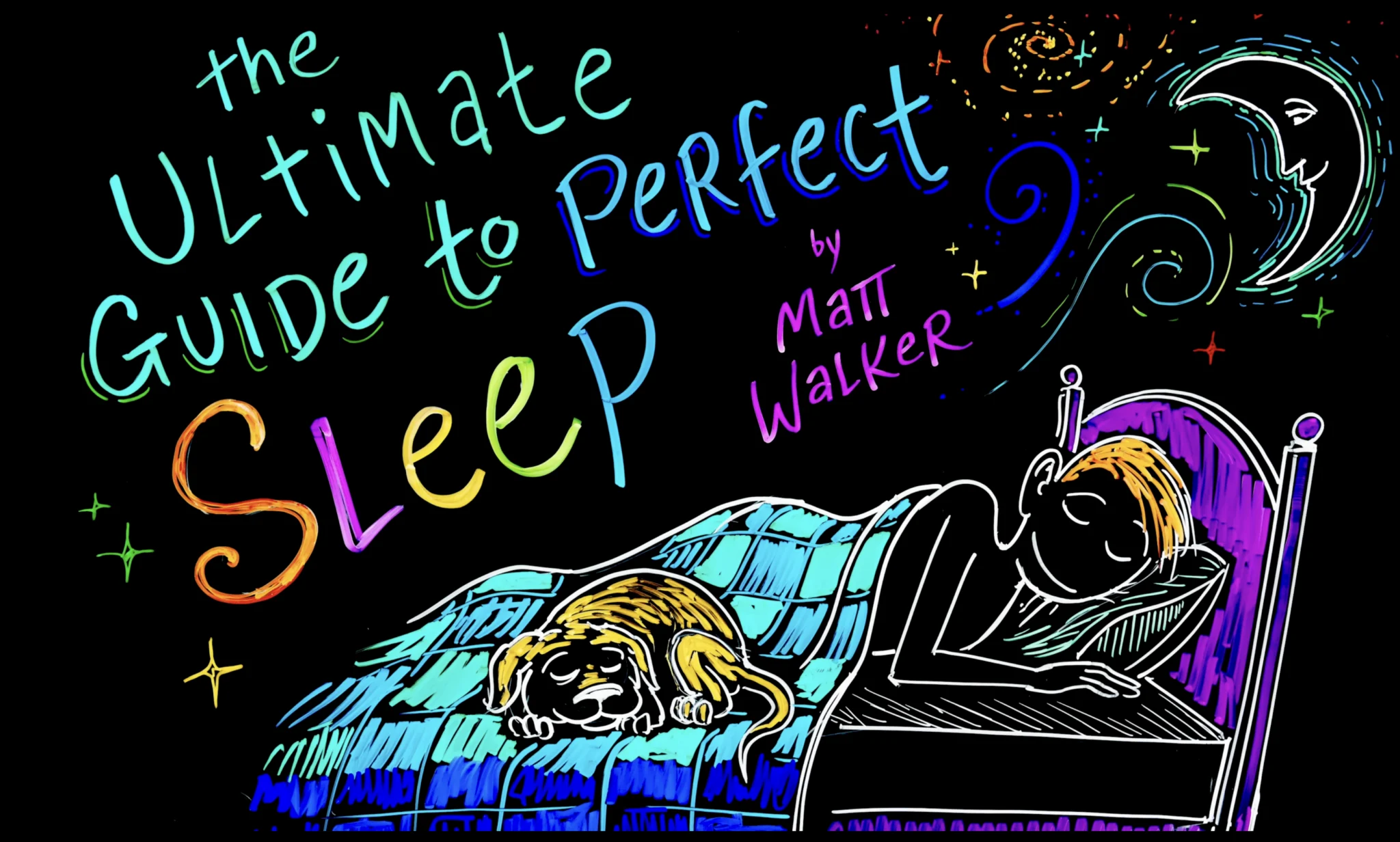
Actual result
Inspiration — saved with kind: "video"
Actual result
Sketch Custom Style — Business plan and above
Golpo Sketch videos rendered with a saved custom style. Same two-step flow — save the inspiration (text, image URL, or video URL) with POST /api/v1/custom-styles, then pass its id as custom_style on a Sketch request. The line-drawing reveal is kept; the palette and texture come from your reference.
Inspiration — saved with kind: "text"
“Use stickman figures for characters. For all other objects, use realistic images with solid colors filled in.”
Actual result
Inspiration — saved with kind: "image"

Actual result
Inspiration — saved with kind: "video"
Actual result
HTTP 422. The source video must have finished rendering (a non-empty video_url) before you can edit or combine its frames.Editing workflow
set-frame-version is optional — use it to revert a frame to an earlier take from its version history. Both edit-frames and combine-frames are async; poll their job IDs at the shared edits/{edit_job_id}/status endpoint.
| Value | Duration |
|---|---|
| 0.25 | 15 seconds |
| 0.5 | 30 seconds |
| 1 | 1 minute |
| 2 | 2 minutes |
| 4 | 4 minutes |
| 8 | 8 minutesBeta |
| 10 | 10 minutesBeta |
| 15 | 15 minutesBeta |
| "auto" | System-determined |
0.25, 0.5, 1, 2, 4, 8, 10, 15, "auto".15 is restricted: 15-minute videos require Enterprise Custom, or Scale with the Longer Videos add-on enabled. Other API plan/add-on combinations receive a 403."auto" timing: Use auto timing when the content complexity should determine the video length. This is especially useful for problem-solving — for example, if you pass a math or physics problem via input_images, the engine will analyze the complexity and generate a script of the appropriate length (e.g., a simple problem may produce a 1-minute video, while a complex one may need 4+ minutes to explain thoroughly).Example: Auto Timing with Problem Solving
Pass a problem image via input_images with Golpo Canvas and let the engine decide how long the explanation should be.
{
  "prompt": "Solve and explain this calculus problem step by step",
  "input_images": [
    "https://your-bucket.s3.amazonaws.com/calculus-problem.png"
  ],
  "use_2_0_style": true,
  "image_style": "whiteboard",
  "timing": "auto",
  "style": "solo-male-3",
  "video_type": "long"
}| Value | Format | Dimensions | Use Cases |
|---|---|---|---|
| "short" | Vertical / Portrait | 1024×1536 px | TikTok, Instagram Reels, YouTube Shorts |
| "long" | Horizontal / Landscape (Default) | 1536×1024 px | YouTube, standard video content |
short
1024×1536 px
long (default)
1536×1024 px
Voice Selection
| Value | Voice Type | Description |
|---|---|---|
| "solo-female-3" | Female 1 | Female narrator voice (Default) |
| "solo-female-4" | Female 2 | Alternative female narrator voice |
| "solo-male-3" | Male 1 | Male narrator voice |
| "solo-male-4" | Male 2 | Alternative male narrator voice |
| bg_music key | Mood / Usage |
|---|---|
| "jazz" | Warm, neutral bed |
| "lofi" | Calm, study vibes |
| "dramatic" | Cinematic tension |
| "engaging" | Subtle corporate pulse |
| "hyper" | High-energy electronic |
| "inspirational" | Uplifting orchestral |
| "documentary" | Serious factual tone |
Pass an instructions in the voice_instructions field to guide voice generation. The AI will adjust accent, tone, pace, and delivery accordingly.
{
  "prompt": "Explain quantum computing basics",
  "voice_instructions": "Speak in a warm British accent with a calm, professorial tone. Pause slightly between key concepts for emphasis.",
  "style": "solo-male-3"
}
More examples
Pass an instructions in the video_instructions field to guide the visual generation. The AI will adjust scene composition, imagery, and visual style accordingly.
{
  "prompt": "Company quarterly results overview",
  "video_instructions": "Use clean corporate visuals with data charts and graphs. Include stock footage of modern office environments. Prefer blue and white color palette.",
  "style": "solo-female-3"
}
More examples
When you supply your own script via new_script and also upload user_images, wrap a sentence in paired markers to control where each image appears. [IMAGE 1] refers to the first image in user_images, [IMAGE 2] to the second, and so on (marker numbers start at 1, not 0). The image displays for the duration of the spoken text between [START][IMAGE N] and [END][IMAGE N].
Follow these rules to make sure your image inserts are never silently skipped:
- Use 1 for your first uploaded image, 2 for the second, and so on.
[IMAGE 1]→ first item inuser_images. If you write[IMAGE 3]but only uploaded 2 images, that image won’t appear. - Every
[START][IMAGE N]needs a matching[END][IMAGE N]with the same number. Missing or mismatched closing tags drop the marker. - Put whitespace around marker tags when they sit next to sentence punctuation. Always leave a space (or newline) between the preceding sentence's period and
[START], and between[END][IMAGE N]and the next sentence. Writestory. [START][IMAGE 2]and[END][IMAGE 1] Next sentence.— neverstory.[START][IMAGE 2]or[END][IMAGE 1]Next sentence.. Without these spaces the sentence splitter cannot find a clean break and the marker is dropped. - Wrap a complete, simple sentence of 8–15 plain words between the markers. Shorter than 5 words is fragile; longer than 20 holds the image on-screen too long.
- Avoid colons (
:), em-dashes (—), semicolons (;), and parentheses inside the marker span. - Keep commas inside the marker to at most one or two. Stacked lists like
"not X, not Y, not Z"confuse the matcher.
Example 1 — Good shape (use as a template):
{
  "new_script": "Travel changes how we see the world. [START][IMAGE 1] This is a quiet beach at sunset with golden waves rolling onto soft sand. [END][IMAGE 1] Coastal trips help us slow down and breathe deeply for a few days. [START][IMAGE 2] This is a mountain village tucked between tall green peaks and clouds. [END][IMAGE 2] Highland trips reward you with cool air and stunning scenic views.",
  "user_images": [
    "https://example.com/beach.png",
    "https://example.com/mountain.png"
  ],
  "user_images_descriptions": [
    "A quiet beach at sunset",
    "A mountain village among green peaks"
  ]
}
Each wrapped sentence is ~10–12 plain words, contains no colons or em-dashes, has a single space after each preceding period, and the marker numbers (1, 2) match the 2-item user_images array.
You can also use other image control parameters alongside the markers: use_as_is (boolean array — skip AI processing and place the image untouched) and skip_animation (boolean array — render as a static frame instead of an animated drawing).
Example 2 — Common mistakes and their fixes:
// ❌ Mistake A: no space BEFORE [START] — IMAGE 2 won't appear
{
  "new_script": "...each region tells a unique story.[START][IMAGE 2] Rajasthan glows proudly with royal forts and deserts[END][IMAGE 2]."
}

// ✅ Fix A: add a single space between "story." and "[START][IMAGE 2]"
{
  "new_script": "...each region tells a unique story. [START][IMAGE 2] Rajasthan glows proudly with royal forts and deserts[END][IMAGE 2]."
}

// ❌ Mistake B: no space AFTER [END] — IMAGE 1 won't appear
{
  "new_script": "[START][IMAGE 1] A coastal town glows at sunset by the harbor. [END][IMAGE 1]The next morning brings calm waters and a quiet beach."
}

// ✅ Fix B: add a single space between "[END][IMAGE 1]" and "The"
{
  "new_script": "[START][IMAGE 1] A coastal town glows at sunset by the harbor. [END][IMAGE 1] The next morning brings calm waters and a quiet beach."
}When you supply your own script via new_script and also upload user_videos, wrap the narration that should play over video N with a paired [START][VIDEO N] ... [END][VIDEO N] block — the same shape used for image markers. [VIDEO 1] refers to the first video in user_videos, [VIDEO 2] to the second, and so on (marker numbers start at 1, not 0). The narration text between the [START] and [END] markers determines the on-screen duration of the user video — the engine cuts to your clip at the START marker and returns to AI-generated visuals at the END marker.
Follow these rules to make sure your video inserts are never silently skipped:
- Use 1 for your first uploaded video, 2 for the second, and so on.
[VIDEO 1]→ first item inuser_videos. If you write[VIDEO 3]but only uploaded 2 videos, that video won’t appear. - Every video needs a matching
[START]and[END]pair. Use the shape[START][VIDEO N] ... narration ... [END][VIDEO N]. Writing a bare[VIDEO N]without the wrappers causes the engine to start the video but never stop it — it will keep playing over all subsequent narration and block any later[VIDEO N]blocks from rendering. - Spelling and casing must be exact. Use uppercase
VIDEOwith a single space before the number — typos like[VEIDO 1]or[VDIEO 1]are silently dropped. - Always put whitespace around each marker. Write
Welcome. [START][VIDEO 1] Here is the footage. [END][VIDEO 1] Up next.— never glue markers to surrounding words. - Place markers at sentence boundaries, not mid-sentence. Put
[START][VIDEO N]right before the first word of the sentence the video should cover, and[END][VIDEO N]right after the closing punctuation of the last sentence in that block. - Match the narration length to the user video’s original duration. The engine treats the uploaded clip’s natural length as authoritative —
[END][VIDEO N]does not force a hard cut. If the clip is longer than the narration wrapped inside the block, the video keeps playing past[END]and the next narration line is delayed until the clip finishes, producing a visible silent gap. Either pre-trim the clip before uploading, or expand the narration inside the block to cover the clip’s full runtime. - Each
[VIDEO N]appears exactly once. One[START]and one[END]per video — do not reuse the same N later in the script. - Do not nest video blocks.
[START][VIDEO 1] ... [START][VIDEO 2] ... [END][VIDEO 1] [END][VIDEO 2]is invalid; each block must fully close before the next one opens.
[START][VIDEO N] and [END][VIDEO N]. If the clip is longer than the wrapped narration, the video keeps playing past [END] silently, and the next narration line is held back until the clip ends. To avoid this silent gap, either trim the clip to roughly the spoken duration of the wrapped sentences before uploading, or write enough narration inside the block to cover the clip’s full runtime.Example — Good shape (use as a template):
{
  "new_script": "Welcome to today's nature tour. [START][VIDEO 1] Here is a stunning view of the mountain ridge captured from the air. [END][VIDEO 1] Now let us head down to the coast. [START][VIDEO 2] These calming waves close out our journey. [END][VIDEO 2] Thanks for watching.",
  "user_videos": [
    "https://example.com/mountain-clip.mp4",
    "https://example.com/coastal-clip.mp4"
  ],
  "user_videos_description": [
    "Aerial view of a mountain ridge",
    "Coastal waves rolling onto a beach"
  ]
}
Each [VIDEO N] appears twice — once with [START] at the beginning of its sentence and once with [END] at the end. Video 1 plays only over “Here is a stunning view… from the air.”, then the engine returns to AI-generated visuals for “Now let us head down to the coast.”, then video 2 plays only over “These calming waves close out our journey.” Marker numbers (1, 2) match the 2-item user_videos array. To control whether the video plays with its original audio or AI narration, see user_audio_in_video.
| Value | Style Name | Description |
|---|---|---|
| "false" | Classic (Default) | Original Golpo Sketch — classic whiteboard line-art animation |
| "true" | Improved Beta | Improved line-art with cleaner strokes and a more polished look |
| "advanced" | Formal | Advanced sketch generation with higher detail and refined aesthetics |
| "whiteboard" | Dry Erase | Clean whiteboard presentation style with smooth marker-like strokes |
| "modern_minimal" | Professional Clean | Modern minimalist design with clean geometric shapes and indigo accent |
| "storytelling" | Crayon | Hand-drawn crayon and colored pencil illustration with bold ink outlines |
| "creative" | Creative | After Skool whiteboard-marker variant with bold colorful strokes |
| "vox" | Infographics | Vox-style editorial explainer with paper-textured infographic look |
| "chalkboard_black_on_white" | Chalkboard (Black on White) | Black ink on a white background |
use_lineart_2_style with use_2_0_style. Use one or the other.Set use_2_0_style: true to enable Golpo Canvas. Then use image_style to set the visual look and optionally pen_style to add a drawing cursor effect.
Pen Style
| Value | Description |
|---|---|
| "none" | No pen cursor (Default) |
| "stylus" | Thin stylus pen cursor |
| "marker" | Thick marker cursor |
| "pen" | Classic pen cursor |
pen_style and image_style are only applicable for Golpo Canvas (use_2_0_style: true). Do not use with Golpo Sketch.image_style values select Expanded, the default profile. The ten pre-Notebook families also accept the matching _compact value for Compact. Notebook is Compact-only and remains notebook_infographic. Migration note: _legacy remains accepted as a deprecated Expanded alias for existing integrations; use the unsuffixed value for new requests.| Style | Compact value | Expanded value | Description |
|---|---|---|---|
| Chalkboard (White on Black) | "chalkboard_white_compact" | "chalkboard_white" | White chalk on a black background |
| Chalkboard (Black on White) | "chalkboard_black_on_white_compact" | "chalkboard_black_on_white" | Black ink on a white background |
| Chalkboard Color | "neon_compact" | "neon" | Colorful neon chalkboard style |
| Whiteboard | "whiteboard_compact" | "whiteboard" | Clean whiteboard illustrations |
| Modern Minimal | "modern_minimal_compact" | "modern_minimal" | Sleek, minimal modern aesthetic |
| Playful | "playful_compact" | "playful" | Fun, colorful playful illustrations |
| Technical | "technical_compact" | "technical" | Technical diagram style |
| Editorial | "editorial_compact" | "editorial" | Magazine/editorial illustration style |
| Sharpie | "marker_compact" | "marker" | Bold marker/sharpie drawn style |
| Illustrations | "vox_compact" | "vox" | Vox-style editorial explainer with a paper-textured infographic look |
| Notebook | "notebook_infographic" | Not available | Notebook infographic style; Compact only |
{
  "prompt": "How solar panels convert sunlight to electricity",
  "use_2_0_style": true,
  "image_style": "modern_minimal_compact",
  "pen_style": "stylus",
  "timing": 2
}
This example uses the Compact profile. To request Expanded for the same family, send image_style: "modern_minimal".
| Parameter | Type | Default | Description |
|---|---|---|---|
| custom_style | string | None | Saved style id you own (from GET /api/v1/custom-styles). Inline URLs or text are not accepted here. Optional; works with both engines. |
Behaviour per engine
| Engine | What custom_style does | Overridden field |
|---|---|---|
| Golpo Canvasuse_2_0_style: true | Renders full-colour composed scenes in the Custom canvas style (Expanded profile) that closely resemble the reference. pen_style, visual_animation_style, pacing and display_language still apply. | image_style recorded if sent, not used for rendering |
| Golpo Sketchuse_2_0_style omitted | Renders a progressive line-drawing reveal using the derived palette and texture; the sketch character stays dominant. Pen animation still applies. | use_lineart_2_style not used for the look |
403 on both /custom-styles and /generate.custom_style cannot be combined with audio_only: true — no visuals are rendered for podcasts, so the request is rejected with 422.language_variants — reuse the cached analysis, so all variants look identical. Style analysis is not billed separately.Validation summary — POST /api/v1/videos/generate
| Situation | Status |
|---|---|
| Plan without Custom Style Support | 403 |
| custom_style not found, not owned by the caller, or malformed id | 404 |
| custom_style is an empty string | 422 |
| Saved style is a YouTube reference (saved on the platform) | 422 |
| custom_style together with audio_only=true | 422 |
{
  "prompt": "How photosynthesis works",
  "use_2_0_style": true,
  "custom_style": "7f3d5a2e-2c8e-4c0f-9c8f-9a2b1d3e4f56",
  "visual_animation_style": "sketch",
  "timing": 1
}{
"prompt": "How photosynthesis works",
"custom_style": "7f3d5a2e-2c8e-4c0f-9c8f-9a2b1d3e4f56",
"pacing": "normal",
"timing": 1
}Full runnable examples are in ; endpoint details are in .
| Value | Description |
|---|---|
| "auto" | Golpo Canvas engine decides the animation style (Default). |
| "fade_in" | Uses fade-in animation for generated visual components. |
| "sketch" | Uses sketch animation for generated visual components. |
visual_animation_style is only applicable for Golpo Canvas (use_2_0_style: true). Do not use with Golpo Sketch.| Code | Meaning | Recovery |
|---|---|---|
| 200 | Successful request (GET, POST, PATCH, or DELETE) | Consume response payload |
| 400 | Bad request (invalid fields or file types) | Check request body and field values |
| 401 | Missing or invalid authentication | Refresh token / validate API key |
| 403 | Plan does not allow requested action | Upgrade plan or contact support |
| 404 | Video / job / custom style not found | Verify identifiers belong to the account |
| 422 | Validation failure (bad payload) | Inspect detail array in response |
| 429 | Rate limit exceeded | Back off and retry with exponential delay |
| 500 | Unexpected server error | Retry later; contact support if persistent |
Schema validation — invalid parameter type or value returns detail as a structured array (one entry per failed field).
{
  "detail": [
    {
      "type": "literal_error",
      "loc": ["body", "style"],
      "msg": "Input should be 'solo-female-3', 'solo-female-4', 'solo-male-3' or 'solo-male-4'",
      "input": "formal",
      "ctx": {
        "expected": "'solo-female-3', 'solo-female-4', 'solo-male-3' or 'solo-male-4'"
      }
    }
  ]
}
Application errors — auth, missing files, etc. return detail as a flat string.
{
  "detail": "File not found at local path: /tmp/missing.png."
}| Language | Accepted values | Note |
|---|---|---|
| English | english or en | Default when omitted |
| Hindi | hindi or hi | — |
| Spanish | spanish or es | — |
| French | french or fr | — |
| German | german or de | — |
| Italian | italian or it | — |
| Portuguese | portuguese or pt | — |
| Russian | russian or ru | — |
| Japanese | japanese or ja | — |
| Korean | korean or ko | — |
| Chinese / Mandarin | chinese, mandarin, or zh | Both map to zh |
| Arabic | arabic or ar | — |
| Dutch | dutch or nl | — |
| Polish | polish or pl | — |
| Turkish | turkish or tr | — |
| Swedish | swedish or sv | — |
| Danish | danish or da | — |
| Norwegian | norwegian or no | — |
| Finnish | finnish or fi | — |
| Greek | greek or el | — |
| Czech | czech or cs | — |
| Hungarian | hungarian or hu | — |
| Romanian | romanian or ro | — |
| Thai | thai or th | — |
| Vietnamese | vietnamese or vi | — |
| Indonesian | indonesian or id | — |
| Malay | malay or ms | — |
| Tamil | tamil or ta | — |
| Telugu | telugu or te | — |
| Bengali | bengali or bn | — |
| Marathi | marathi or mr | — |
| Gujarati | gujarati or gu | — |
| Kannada | kannada or kn | — |
| Malayalam | malayalam or ml | — |
| Punjabi | punjabi or pa | — |
| Urdu | urdu or ur | — |