Auth header
x-api-key: YOUR_API_KEYContent-Type
application/jsonBest for
Server-to-server integrations, automation workflows, internal dashboards, partner apps
Prerequisites
Valid API plan · API key issued per workspace · HTTPS requests only · files must be under 10 MB
POST /api/v2/videos/generate requires x-api-key. Returns 403 with the message “API v2 requires API key authentication. Provide ‘x-api-key’ header.” if the header is missing.Generate a video from a prompt or script. JSON body, x-api-key required.
import fetch from "node-fetch";

const API_KEY = "api-key"; // Replace with your Golpo API key

const payload = {
  prompt: "Explain the quarterly roadmap",
  background_track: "engaging"
};

const BASE_URL = "{BASE_URL}"; // You will receive this when creating an API key
const response = await fetch(`${BASE_URL}/api/v2/videos/generate`, {
  method: "POST",
  headers: {
    "Content-Type": "application/json",
    "x-api-key": API_KEY
  },
  body: JSON.stringify(payload)
});

const data = await response.json();
console.log(data);
Run with: node --env-file=.env generate.js
Retrieve videos belonging to the authenticated user. Supports limit and offset query params. x-api-key required.
import fetch from "node-fetch";

const BASE_URL = "{BASE_URL}"; // You will receive this when creating an API key

// Query params:
//   limit  — max number of videos to return (optional)
//   offset — number of videos to skip (optional, for pagination)
const response = await fetch(`${BASE_URL}/api/v2/videos?limit=10&offset=0`, {
  headers: {
    "x-api-key": "api-key"
  }
});

const data = await response.json();
console.log(data.videos); // array of video objects
console.log(data.total);  // total number of videos
Run with: node --env-file=.env list-videos.js
Retrieve metadata for a single video by ID. x-api-key required.
const BASE_URL = "{BASE_URL}"; // You will receive this when creating an API key
const VIDEO_ID = "video_id";

const response = await fetch(`${BASE_URL}/api/v2/videos/${VIDEO_ID}`, {
  headers: { "x-api-key": "api-key" }
});
console.log(await response.json());
Run with: node --env-file=.env get-video.js <video_id>
Update video metadata. Only 'title' and 'visibility' can be updated.
const BASE_URL = "{BASE_URL}"; // You will receive this when creating an API key
const VIDEO_ID = "video_id";

const payload = { title: "Updated internal briefing", visibility: "private" };

const response = await fetch(`${BASE_URL}/api/v2/videos/${VIDEO_ID}`, {
  method: "PATCH",
  headers: {
    "Content-Type": "application/json",
    "x-api-key": "api-key"
  },
  body: JSON.stringify(payload)
});

console.log(await response.json());
Run with: node --env-file=.env update-video.js <video_id>
Delete a generated video (soft delete). x-api-key required.
const BASE_URL = "{BASE_URL}"; // You will receive this when creating an API key
const VIDEO_ID = "video_id";

const response = await fetch(`${BASE_URL}/api/v2/videos/${VIDEO_ID}`, {
  method: "DELETE",
  headers: { "x-api-key": "api-key" }
});

console.log(await response.json());
Run with: node --env-file=.env delete-video.js <video_id>
Return the authenticated API key user's plan, current stored credit balance, and API status.
const BASE_URL = "{BASE_URL}"; // You will receive this when creating an API key

const response = await fetch(`${BASE_URL}/api/v2/users/credits`, {
  method: "GET",
  headers: { "x-api-key": "api-key" }
});

console.log(await response.json());
// { "plan": "api_only", "credits": 124.5, "status": "active" }
Run with: node --env-file=.env user-credits.js
prompt is required. All other parameters are optional.| Parameter | Type | Default | Required | Description |
|---|---|---|---|---|
| prompt | string | — | Required | Main prompt/topic for the video. |
| reference_source | array[string] | None | Optional | List of document URLs (https/s3) used as reference material. Use /upload-file to obtain URLs; server-side callers may also pass local file paths. |
| narration_instructions | string | "" | Optional | Describe how the narration voice should sound — accent, tone, pace, and delivery style. Examples: "Speak in a warm British accent with a calm, professorial tone", "Fast-paced sports commentator style". |
| enable_script_only_mode | boolean | false | Optional | Only generate the script — skip TTS and video rendering. Status response returns script_text. NOTE:This parameter will not work with own_narration_source (own-narration mode). Requests will follow the standard own_narration workflow regardless of the parameter value. |
| custom_script | string | None | Optional | Use a script you supply instead of generating one. Capped at approximately 15 estimated minutes. NOTE:Scripts longer than ~15 estimated minutes are rejected with 422. If timing is also set, it must be greater than or equal to the estimated script duration. Embedding paired [START][IMAGE N]...[END][IMAGE N] and [START][VIDEO N]...[END][VIDEO N] markers in your script controls where your uploaded custom_images and custom_videos appear. See the Inserting Images in Script and Inserting Videos in Script sections for the placement rules — markers that violate the format are silently dropped. |
| onscreen_text_from_script_only | boolean | false | Optional | Generate on-screen text using script-source content only. No extra labels, captions, titles, or other words are added. NOTE:Supports normal prompt flow, script-based flow, and own-narration flow. Source text comes from generated script (prompt), provided script (custom_script), or narration transcription source (own_narration_source). |
| narration_voice | string | "female-1" | Optional | Narration voice. Allowed values: "female-1" (default), "female-2", "male-1", "male-2". |
| enable_color | boolean | true | Optional | Enable color video generation pipeline. |
| narration_language | string | "en" | Optional | Language for narration. Lowercase only — accepts language keywords (e.g. "english", "hindi"), ISO 639-1 codes (e.g. "en", "hi"), or code-switch variants (e.g. "hi-en"). |
| background_track | string | None | Optional | Background music track. Allowed values: "jazz", "lofi", "dramatic", "engaging", "hyper", "inspirational", "documentary". |
| video_orientation | string | "horizontal" | Optional | Video orientation: "horizontal" (16:9) or "vertical" (9:16). |
| enable_podcast_engine | boolean | false | Optional | When true, generate audio-only podcast output (no video). Status response returns podcast_url. |
| timing | string | "1" | Optional | Video/podcast duration in minutes (as string) or "auto" to let the system determine it. Supported values: "0.25", "0.5", "1", "2", "4", "8", "10", "15", "auto". NOTE:"15" requires Enterprise Custom, or Scale with the Longer Videos add-on enabled. Other API plan/add-on combinations receive a 403. |
| watermark | boolean | false | Optional | Include a watermark in the video. |
| custom_logo | string | None | Optional | Custom logo URL (https/s3). Use /upload-file first; server-side callers may also pass local file paths. |
| logo_position | string | None | Optional | Logo placement. Allowed values: "tl" (top-left), "tr" (top-right), "bl" (bottom-left), "br" (bottom-right). NOTE:Only valid when watermark=true or custom_logo is provided. Setting logo_position without either is rejected with 422, since no logo or watermark would render. |
| visual_instructions | string | "" | Optional | Visual instructions to guide how the video looks. Examples: "Show more graphs and charts", "Cinematic transitions", "Dark moody aesthetic with neon accents". |
| golpo_video_engine | string | "golpo_canvas" | Optional | Video generation engine: "golpo_canvas" (default) or "golpo_sketch". NOTE:When using golpo_canvas, canvas_style_variant is required. When using golpo_sketch, sketch_style_variant is required. Setting either to null is rejected with 422. |
| canvas_style_variant | string | "chalkboard_color" | Optional | Golpo Canvas style variant. Unsuffixed values select the Expanded profile. For the ten pre-Notebook style families, append '_compact' to select the Compact profile. Notebook is Compact-only and remains unsuffixed. Allowed values: "chalkboard_bw", "chalkboard_bw_compact", "chalkboard_black_on_white", "chalkboard_black_on_white_compact", "chalkboard_color", "chalkboard_color_compact", "whiteboard", "whiteboard_compact", "modern_minimal", "modern_minimal_compact", "playful", "playful_compact", "technical", "technical_compact", "editorial", "editorial_compact", "sharpie", "sharpie_compact", "illustrations", "illustrations_compact", "notebook_infographic". Required when golpo_video_engine is "golpo_canvas". |
| sketch_style_variant | string | "classic" | Optional | Golpo Sketch style variant. Allowed values: "classic" (default), "improved(beta)", "formal", "crayon", "dry_erase", "professional_clean", "creative", "infographics", "chalkboard_black_on_white". Required when golpo_video_engine is "golpo_sketch". |
| custom_style | string | None | Optional | Use your own custom visual style. First save a style (from an image URL, a video URL, or a text description) with POST /api/v2/custom-styles, then pass its id here. Works with both Golpo Canvas and Golpo Sketch — when set, canvas_style_variant / sketch_style_variant are ignored.NOTE:Requires a Business or above plan. Not allowed with enable_podcast_engine=true (422). |
| own_narration_source | string | None | Optional | URL (https/s3) to an audio or video file to use instead of generating script and TTS. Server-side callers may also pass local file paths. Useful for generating a video from your own existing audio or video narration. |
| use_ai_audio_at | array[integer] | None | Optional | List of 1-indexed positions in custom_videos whose original audio should be replaced with AI-generated narration. Videos not listed keep their original audio. NOTE:Only valid when custom_videos is provided. Length must not exceed the number of custom_videos. |
| custom_images | array[string] | None | Optional | List of image URLs (https/s3) to insert into the video. Server-side callers may also pass local file paths. |
| custom_images_description | array[string] | None | Optional | List of descriptions for custom images (one per image). NOTE:Required when custom_images is provided. Must have the same length as custom_images. Descriptions tell the Golpo AI what each image shows, so it can place each image at the right moment in the script and reference it in the narration. More specific descriptions produce more contextually accurate videos. |
| keep_original_images | array[boolean] | None | Optional | List of booleans indicating whether to use each image as-is without AI processing (one per image). NOTE:Only valid when custom_images is provided. Length must not exceed the number of custom_images. |
| disable_image_animation | array[boolean] | None | Optional | List of booleans indicating whether to skip animation for each image (one per image). NOTE:Only valid when custom_images is provided. Length must not exceed the number of custom_images. |
| custom_videos | array[string] | None | Optional | List of video URLs (https/s3) to insert into the video. Server-side callers may also pass local file paths. |
| custom_videos_description | array[string] | None | Optional | List of descriptions for custom videos (one per video). NOTE:Required when custom_videos is provided. Must have the same length as custom_videos. Descriptions tell the Golpo AI what each video shows, so it can cut to each clip at the right moment in the script and frame the surrounding narration. More specific descriptions produce more contextually accurate videos. |
| visibility | string | None | Optional | Video visibility. Allowed values: "public" (appears in the Golpo gallery) or "private". |
| video_id | string | None | Optional | Optional custom video/job id assigned by the caller. |
| reference_images | array[string] | None | Optional | List of reference image URLs (https/s3) for problem-solving mode. The video is generated around the provided images. Server-side callers may also pass local file paths. Best suited for explaining math, science, or any problem captured as an image — pair with timing: "auto" so the Golpo AI picks a duration that matches the complexity of the problem. |
| pen_animation_style | string | None | Optional | Pen cursor animation style. Allowed values: "stylus", "marker", "pen". NOTE:Only supported with the Golpo Canvas engine. Setting this field with "golpo_video_engine": "golpo_sketch" is rejected with 422. |
| visual_animation_style | string | "auto" | Optional | Visual animation style for generated visual components in Golpo Canvas (for example: illustrations, diagrams, icons, arrows, and annotations). Default value: "auto" (Golpo Canvas engine decides the animation style). Allowed values: "auto", "fade_in", "sketch". NOTE:Only supported with the Golpo Canvas engine. Setting this field with "golpo_video_engine": "golpo_sketch" is rejected with 422. |
| own_narration_video_mode | boolean | None | Optional | Deprecated compatibility field. true shows the narration video; false uses only its audio. New requests should select own_narration_video_layout directly. NOTE:Existing payloads remain supported. true without a layout keeps the circular PiP behavior. |
| own_narration_video_position | string | "right-bottom" | Optional | Placement of the narration video. PiP uses the full corner. Split layout reads left/right for horizontal videos and top/bottom for vertical videos. Allowed values: "left-top", "right-top", "left-bottom", "right-bottom" (default). |
| own_narration_video_layout | string | None | Optional | Narration-video layout: "round_overlay" uses a circular corner overlay; "side_by_side" uses left/right regions for horizontal output and top/bottom regions for vertical output. Omit for narration audio only. Existing integrations may retain "pip" or "split" together with the deprecated own_narration_video_mode=true. New integrations should use the canonical layout values without the boolean. |
| own_narration_split_size | string | "50%" | Optional | In side_by_side layout, the narrator share of the active axis: width horizontally or height vertically. Allowed values: "25%", "30%", "35%", "40%", "50%". |
| own_narration_video_fit | string | "crop" | Optional | "crop" fills the narrator card without distortion and enables framing focus. "full" keeps the complete narrator frame using the existing stretch behavior. |
| own_narration_focus_position | number | 50 | Optional | Framing slider from 0–100 when fit is crop. Horizontal output: 0 keeps more left and 100 more right. Vertical output: 0 keeps more top and 100 more bottom. NOTE:Only valid with own_narration_video_layout="side_by_side" and own_narration_video_fit="crop". |
| own_narration_webcam_crop_x | number | null | None | Optional | Deprecated 0–1 framing value retained for compatibility. Use own_narration_focus_position (0–100) instead. |
| scene_pacing | string | "normal" | Optional | Pacing level: "normal" (15s max per scene) or "fast" (10s max per scene). Works with both Golpo Canvas and Golpo Sketch. |
| onscreen_text_language | string | None | Optional | Language for on-screen text. Same value space as narration_language. Useful when displayed text should differ from the narration language. NOTE:Only supported with the Golpo Canvas engine. Setting this field with "golpo_video_engine": "golpo_sketch" is rejected with 422. If omitted, on-screen text uses the same language as narration_language. Example: narration_language: "hindi", onscreen_text_language: "english" — narration in Hindi, on-screen text in English. |
| language_variants | array[string] | None | Optional | Generate additional language versions of the video alongside the primary narration_language. Provide an array of supported languages (e.g. ["spanish", "french", "hi"]). A separate video will be generated for each specified language.Each language version is billed as a separate render. For example, a 2-minute video with 2 additional languages is billed as 3 renders × 2 minutes. Duplicate languages, including the primary narration_language, are not allowed and will return a 400 error. NOTE:All language variants use the same prompt, duration, voice, and visual settings. Only the narration_language changes for each variant. |
| variant_visuals_mode | string | "shared" | Optional | Controls how visuals are generated across language variants. shared (default) reuses the primary video's visuals across all language variants. per_language generates separate visuals for each language variant. |
Content
Narration
Visual
User Media
Audio
Format
Branding
Workflow
Create your custom style first, then reference it by custom_style_id
x-api-key.| Endpoint | Method | Description |
|---|---|---|
| {BASE_URL}/api/v2/custom-styles | GET | List your saved styles (newest first) |
| {BASE_URL}/api/v2/custom-styles | POST | Save a style from an image URL, video URL, or text description |
| {BASE_URL}/api/v2/custom-styles/{custom_style_id} | GET | Get one saved style |
| {BASE_URL}/api/v2/custom-styles/{custom_style_id} | DELETE | Delete one saved style |
Request body — POST /api/v2/custom-styles
| Field | Type | Required | Description |
|---|---|---|---|
| style_name | string (1–60) | Required | Display name for the style. |
| source | string (1–5000) | Required | An HTTPS URL to an image (moodboard, brand frame, illustration), an HTTPS URL to a video file (frames are sampled and analyzed for the still art style), or a free-text style description. Use /upload-file to host your own image or video and pass the returned file_url. |
| kind | string | Optional | Allowed values: "image" (source is an HTTPS image URL), "video" (source is an HTTPS video URL — frames are sampled and analyzed), or "text" (source is a style description). |
// 201 from POST /api/v2/custom-styles
{
  "success": true,
  "style": {
    "id": "7f3d5a2e-2c8e-4c0f-9c8f-9a2b1d3e4f56", // use as custom_style
    "style_name": "Brand moodboard",
    "source": "https://cdn.example.com/brand-moodboard.png",
    "kind": "image",
    "created_at": "2026-09-20T12:00:00Z",
    "updated_at": "2026-09-20T12:00:00Z"
  }
}// 200 from GET /api/v2/custom-styles
{
"success": true,
"styles": [
{
"id": "7f3d5a2e-2c8e-4c0f-9c8f-9a2b1d3e4f56",
"style_name": "Brand moodboard",
"source": "https://cdn.example.com/brand-moodboard.png",
"kind": "image",
"created_at": "2026-09-20T12:00:00Z",
"updated_at": "2026-09-20T12:00:00Z"
}
]
}
// DELETE returns { "success": true }Validation summary
| Situation | Status |
|---|---|
| Plan without Custom Style Support | 403 |
| style_id not found or not owned by the caller (GET, DELETE) | 404 |
| kind="image" or kind="video" with a non-HTTPS source | 422 |
Save a custom style from an HTTPS image URL, an HTTPS video URL, or a free-text description.
import fetch from "node-fetch";

const API_KEY = "api-key"; // Replace with your Golpo API key
const BASE_URL = "{BASE_URL}"; // You will receive this when creating an API key

// kind: "image" (HTTPS image URL) | "video" (HTTPS video URL) | "text" (style description)
const payload = {
  style_name: "Brand moodboard",
  source: "https://cdn.example.com/brand-moodboard.png",
  kind: "image"
};

const response = await fetch(`${BASE_URL}/api/v2/custom-styles`, {
  method: "POST",
  headers: {
    "Content-Type": "application/json",
    "x-api-key": API_KEY
  },
  body: JSON.stringify(payload)
});

const data = await response.json();
console.log("Style ID:", data.style.id); // pass as custom_style on /generate
Run with: node --env-file=.env create-custom-style.js
List the custom styles you have saved, newest first. Use the id of any entry as custom_style on /generate.
import fetch from "node-fetch";

const API_KEY = "api-key";
const BASE_URL = "{BASE_URL}";

const response = await fetch(`${BASE_URL}/api/v2/custom-styles`, {
  headers: { "x-api-key": API_KEY }
});

const { styles } = await response.json();
styles.forEach((s) => console.log(s.id, s.style_name, s.kind));
Run with: node --env-file=.env list-custom-styles.js
Retrieve one saved custom style by id. Returns 404 if the style does not exist or belongs to another account.
import fetch from "node-fetch";

const API_KEY = "api-key";
const BASE_URL = "{BASE_URL}";
const STYLE_ID = "7f3d5a2e-2c8e-4c0f-9c8f-9a2b1d3e4f56";

const response = await fetch(`${BASE_URL}/api/v2/custom-styles/${STYLE_ID}`, {
  headers: { "x-api-key": API_KEY }
});

const { style } = await response.json();
console.log(style);
Run with: node --env-file=.env get-custom-style.js
Delete a saved custom style. Videos already generated with it are not affected.
import fetch from "node-fetch";

const API_KEY = "api-key";
const BASE_URL = "{BASE_URL}";
const STYLE_ID = "7f3d5a2e-2c8e-4c0f-9c8f-9a2b1d3e4f56";

const response = await fetch(`${BASE_URL}/api/v2/custom-styles/${STYLE_ID}`, {
  method: "DELETE",
  headers: { "x-api-key": API_KEY }
});

console.log(await response.json()); // { "success": true }
Run with: node --env-file=.env delete-custom-style.js
/upload-file into reference_source, the file is permanently deleted from storage after its text is extracted during generation. The same URL cannot be reused for another video or podcast — you must upload the document again via /upload-file to get a fresh URL for each new generation.multipart/form-data| Field | Type | Required | Description |
|---|---|---|---|
| file | File | Yes | Single file to upload (file metadata is used to generate a presigned URL). |
Documents
PDF · DOC · DOCX · TXT · MD · CSV · XLSX · XLS · PPT · PPTX
Audio
MP3 · WAV · M4A · OGG · FLAC
Video
MP4 · MOV · M4V · AVI · MKV · WEBM
Images
JPG · JPEG · PNG · GIF · WEBP
// Response from POST /api/v2/videos/upload-file
{
  "upload_url":   "https://...",  // Presigned PUT URL — upload the file here
  "file_url":     "https://...",  // Pass this into /generate
  "file_name":    "document.pdf",
  "content_type": "application/pdf"
}const API_KEY = "api-key";
const BASE_URL = "{BASE_URL}";
// Step 1: Get presigned URL
async function uploadFile(file) {
const formData = new FormData();
formData.append('file', file);
const response = await fetch(`${BASE_URL}/api/v2/videos/upload-file`, {
method: 'POST',
headers: { 'x-api-key': API_KEY },
body: formData
});
const { upload_url, file_url, content_type } = await response.json();
// Step 2: Upload bytes to the presigned URL
await fetch(upload_url, {
method: 'PUT',
headers: { 'Content-Type': content_type },
body: file
});
// Step 3: Return file_url for use in /generate
return file_url;
}
// Usage
const fileInput = document.querySelector('#file-input');
const fileUrl = await uploadFile(fileInput.files[0]);
console.log('File uploaded, URL:', fileUrl);
// Use fileUrl in your /generate request (reference_source, custom_logo, etc.)custom_images and custom_videos accept the file_url returned by /upload-file. Server-side callers may pass local file paths directly. Description arrays (custom_images_description, custom_videos_description) are required and must match the length of their image/video arrays.const API_KEY = "api-key";
const BASE_URL = "{BASE_URL}";
async function uploadFile(file) {
const formData = new FormData();
formData.append('file', file);
const presign = await fetch(`${BASE_URL}/api/v2/videos/upload-file`, {
method: 'POST',
headers: { 'x-api-key': API_KEY },
body: formData
});
const { upload_url, file_url, content_type } = await presign.json();
await fetch(upload_url, {
method: 'PUT',
headers: { 'Content-Type': content_type },
body: file
});
return file_url;
}
// Step 1: Upload images and videos
const image1Url = await uploadFile(imageFile1);
const image2Url = await uploadFile(imageFile2);
const video1Url = await uploadFile(videoFile1);
const video2Url = await uploadFile(videoFile2);
// Step 2: Generate with custom images and videos
const generatePayload = {
prompt: "Create a product showcase video",
custom_images: [image1Url, image2Url],
custom_images_description: [
"Product front view with logo",
"Product in use by customer"
],
keep_original_images: [false, false],
disable_image_animation: [false, true],
custom_videos: [video1Url, video2Url],
custom_videos_description: [
"Customer testimonial",
"Product walkthrough"
],
// 1-indexed positions in custom_videos whose original audio
// should be replaced with AI-generated narration.
use_ai_audio_at: [2],
video_orientation: "horizontal",
watermark: false
};
const response = await fetch(`${BASE_URL}/api/v2/videos/generate`, {
method: 'POST',
headers: {
'Content-Type': 'application/json',
'x-api-key': API_KEY
},
body: JSON.stringify(generatePayload)
});
const result = await response.json();
console.log('Job ID:', result.job_id);/upload-file first.import fetch from "node-fetch";
const API_KEY = "api-key";
const BASE_URL = "{BASE_URL}";
// Server-side only: when the API server has filesystem access
// to these files, it uploads them transparently before generation.
const payload = {
prompt: "Create a comprehensive product demo video",
reference_source: [
"./documents/product-spec.pdf",
"C:\\Users\\Documents\\brief.docx",
"/home/user/documents/slides.pptx"
],
custom_logo: "./assets/company-logo.png",
custom_images: [
"./images/product-front.jpg",
"./images/product-in-use.jpg"
],
custom_images_description: [
"Product front view with branding",
"Product being used by customer"
],
keep_original_images: [false, false],
disable_image_animation: [false, true],
own_narration_source: "./audio/founder-narration.mp3",
narration_voice: "female-1",
background_track: "engaging",
video_orientation: "horizontal",
watermark: false,
enable_color: true,
narration_language: "en",
timing: "5"
};
const response = await fetch(`${BASE_URL}/api/v2/videos/generate`, {
method: "POST",
headers: {
"Content-Type": "application/json",
"x-api-key": API_KEY
},
body: JSON.stringify(payload)
});
const data = await response.json();
console.log("Job ID:", data.job_id);Local paths only work when the API server can access these files. Remote clients must upload via /upload-file first.
The table below shows the maximum number of languages you can generate per request for each timing value — both the total (primary + variants) and how many you can list in language_variants.
| timing | Max languagesprimary + variants | Max language_variants |
|---|---|---|
0.250.51 | 10 | 9 |
2 | 5 | 4 |
4 | 3 | 2 |
81015 | 2 | 1 |
auto | 2 | 1 |
2–10
Max languages
depends on timing (≤1 min: 10; 2 min: 5; 4 min: 3; ≥8 min: 2)
1
API request
generates a separate render for each provided language_variants value
2 modes
Visuals
shared (default) reuses the primary's visuals across every language · per_language regenerates visuals separately for each language
shared (default)
Same visuals for every variant — only the audio changes per language.
- • All variants use the primary video's visuals
per_language
Generate separate visuals for each language variant, with on-screen text in that language.
- • Podcasts (enable_podcast_engine: true) always use this mode, since there are no visuals to share
Variant status lifecycle
GET /api/v2/videos/status/{job_id}Example payload for each visuals mode
{
  "prompt": "Explain photosynthesis",
  "narration_language": "english", // Primary language
  "language_variants": ["spanish", "french"],
  // Uses the same visuals across all language variant videos
  "variant_visuals_mode": "shared"
}{
"prompt": "Explain photosynthesis",
"narration_language": "english", // Primary language
"language_variants": ["spanish", "french"],
// Generate separate visuals for each language
"variant_visuals_mode": "per_language"
}POST /api/v2/custom-styles with style_name + source (image URL, video URL, or text). See . Step 2 — generate: pick the engine and pass the returned id in custom_style. Requires the Business plan or above.Golpo Canvas golpo_canvas
Full-colour composed scenes that closely follow the reference’s palette, texture and composition. custom_style replaces canvas_style_variant. pen_animation_style and visual_animation_style can still be combined with it.
Golpo Sketch golpo_sketch
Progressive line-drawing reveal using the reference’s derived palette and texture — the “sketch” character stays dominant. custom_style replaces sketch_style_variant.
Canvas Custom Style — Business plan and above
Golpo Canvas videos rendered with a saved custom style. Each card shows the inspiration used to save the style and the result generated by passing its id as custom_style. Each source (text description, image URL, or video URL) is saved over the API with POST /api/v2/custom-styles. See for the full code.
Inspiration — saved with kind: "text"
“Use a cinematic mythological animation style inspired by ancient Greek pottery, weathered parchment, and dramatic ocean landscapes. Blend heroic character illustrations, stormy sea transitions, and golden-blue lighting to capture the epic, mysterious journey of The Odyssey.”
Actual result
Inspiration — saved with kind: "image"
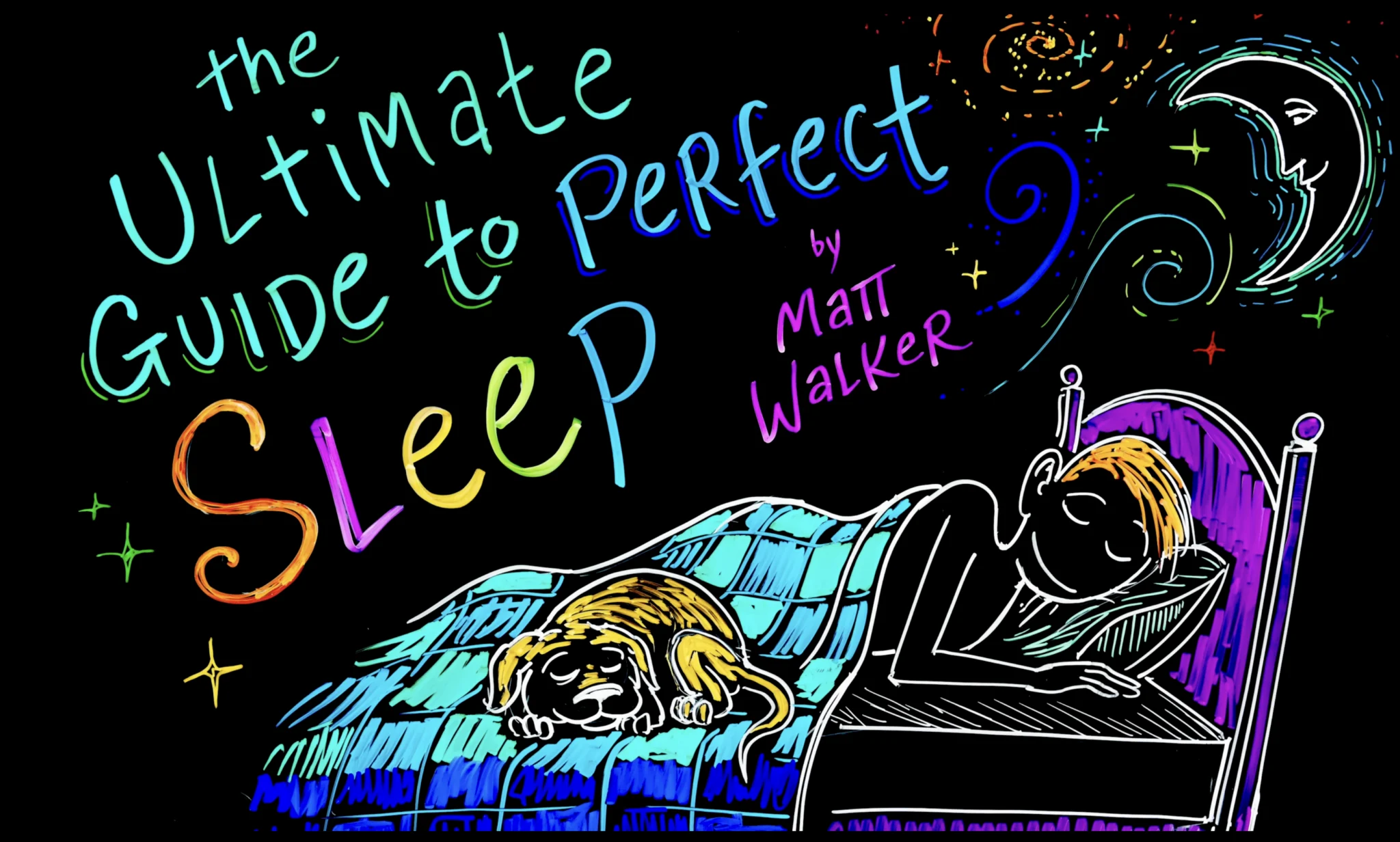
Actual result
Inspiration — saved with kind: "video"
Actual result
Sketch Custom Style — Business plan and above
Golpo Sketch videos rendered with a saved custom style. Same two-step flow — save the inspiration (text, image URL, or video URL) with POST /api/v2/custom-styles, then pass its id as custom_style on a Sketch request. The line-drawing reveal is kept; the palette and texture come from your reference.
Inspiration — saved with kind: "text"
“Use stickman figures for characters. For all other objects, use realistic images with solid colors filled in.”
Actual result
Inspiration — saved with kind: "image"

Actual result
Inspiration — saved with kind: "video"
Actual result
golpo_video_engine: "golpo_sketch"). The source video must have finished rendering before you can edit or combine its frames. Like the rest of API v2 endpoints, every editing endpoint requires thex-api-key.Editing workflow
set-frame-version is optional — use it to revert a frame to an earlier take from its version history. Both edit-frames and combine-frames are async; poll their job IDs at the shared edits/{edit_job_id}/status endpoint.
| Value | Duration |
|---|---|
| "0.25" | 15 seconds |
| "0.5" | 30 seconds |
| "1" | 1 minute |
| "2" | 2 minutes |
| "4" | 4 minutes |
| "8" | 8 minutesBeta |
| "10" | 10 minutesBeta |
| "15" | 15 minutesBeta |
| "auto" | System-determined |
"0.25", "0.5", "1", "2", "4", "8", "10", "15", "auto"."15" is restricted: 15-minute videos require Enterprise Custom, or Scale with the Longer Videos add-on enabled. Other API plan/add-on combinations receive a 403."auto" timing: Use auto timing when the content complexity should determine the video length. Especially useful for problem-solving — pass a math or physics problem via reference_images and the golpo engine will analyze the complexity and generate a script of the appropriate length.Example: Auto Timing with Problem Solving
Pass a problem image via reference_images with Golpo Canvas and let the engine decide how long the explanation should be.
{
  "prompt": "Solve and explain this calculus problem step by step",
  "reference_images": [
    "https://your-bucket.s3.amazonaws.com/calculus-problem.png"
  ],
  "golpo_video_engine": "golpo_canvas",
  "canvas_style_variant": "whiteboard",
  "timing": "auto",
  "narration_voice": "male-1",
  "video_orientation": "horizontal"
}| Value | Format | Dimensions | Use Cases |
|---|---|---|---|
| "vertical" | Vertical / Portrait | 1024×1536 px | TikTok, Instagram Reels, YouTube Shorts |
| "horizontal" | Horizontal / Landscape (Default) | 1536×1024 px | YouTube, standard video content |
vertical
1024×1536 px
horizontal (default)
1536×1024 px
| Value | Voice Type | Description |
|---|---|---|
| "female-1" | Female 1 | Female narrator voice (Default) |
| "female-2" | Female 2 | Alternative female narrator voice |
| "male-1" | Male 1 | Male narrator voice |
| "male-2" | Male 2 | Alternative male narrator voice |
| background_track key | Mood / Usage |
|---|---|
| "jazz" | Warm, neutral bed |
| "lofi" | Calm, study vibes |
| "dramatic" | Cinematic tension |
| "engaging" | Subtle corporate pulse |
| "hyper" | High-energy electronic |
| "inspirational" | Uplifting orchestral |
| "documentary" | Serious factual tone |
Pass instructions in the narration_instructions field to guide voice generation. The AI will adjust accent, tone, pace, and delivery accordingly.
{
  "prompt": "Explain quantum computing basics",
  "narration_instructions": "Speak in a warm British accent with a calm, professorial tone. Pause slightly between key concepts for emphasis.",
  "narration_voice": "male-1"
}
More examples
Pass instructions in the visual_instructions field to guide the visual generation. The AI will adjust scene composition, imagery, and visual style accordingly.
{
  "prompt": "Company quarterly results overview",
  "visual_instructions": "Use clean corporate visuals with data charts and graphs. Include stock footage of modern office environments. Prefer blue and white color palette.",
  "narration_voice": "female-1"
}
More examples
| Value | Engine | Description |
|---|---|---|
| "golpo_canvas" | Golpo Canvas (Default) | Canvas-based video with rich style variants. Requires canvas_style_variant. |
| "golpo_sketch" | Golpo Sketch | Whiteboard line-art animation. Requires sketch_style_variant. |
canvas_style_variant to null with golpo_canvas(or sketch_style_variant to null with golpo_sketch) is rejected with HTTP 422.canvas_style_variant values select Expanded, the default profile. The ten pre-Notebook families also accept the matching _compact value for Compact. Notebook is Compact-only and remains notebook_infographic. Migration note: _legacy remains accepted as a deprecated Expanded alias for existing integrations; use the unsuffixed value for new requests.| Style | Compact value | Expanded value | Description |
|---|---|---|---|
| Chalkboard (White on Black) | "chalkboard_bw_compact" | "chalkboard_bw" | White chalk on a black background |
| Chalkboard (Black on White) | "chalkboard_black_on_white_compact" | "chalkboard_black_on_white" | Black ink on a white background |
| Chalkboard Color | "chalkboard_color_compact" | "chalkboard_color" | Colorful neon chalkboard style |
| Whiteboard | "whiteboard_compact" | "whiteboard" | Clean whiteboard illustrations |
| Modern Minimal | "modern_minimal_compact" | "modern_minimal" | Sleek, minimal modern aesthetic |
| Playful | "playful_compact" | "playful" | Fun, colorful playful illustrations |
| Technical | "technical_compact" | "technical" | Technical diagram style |
| Editorial | "editorial_compact" | "editorial" | Magazine/editorial illustration style |
| Sharpie | "sharpie_compact" | "sharpie" | Bold marker/sharpie drawn style |
| Illustrations | "illustrations_compact" | "illustrations" | Vox-style editorial explainer with a paper-textured infographic look |
| Notebook | "notebook_infographic" | Not available | Notebook infographic style; Compact only |
{
  "prompt": "How solar panels convert sunlight to electricity",
  "golpo_video_engine": "golpo_canvas",
  "canvas_style_variant": "modern_minimal_compact",
  "pen_animation_style": "stylus",
  "scene_pacing": "normal",
  "timing": "2"
}
This example uses the Compact profile. To request Expanded for the same family, send canvas_style_variant: "modern_minimal".
| Value | Label | Description |
|---|---|---|
| "classic" | Classic | Original Golpo Sketch — classic whiteboard line-art animation (Default) |
| "improved(beta)" | Improved | Improved line-art with cleaner strokes and a more polished look |
| "formal" | Formal | Advanced sketch generation with higher detail and refined aesthetics |
| "crayon" | Crayon | Storytelling crayon sketch look |
| "dry_erase" | Dry Erase | Whiteboard dry-erase aesthetic |
| "professional_clean" | Professional Clean | Clean, minimal professional sketch |
| "creative" | Creative | After Skool whiteboard-marker variant with bold colorful strokes |
| "infographics" | Infographics | Vox-style editorial explainer with paper-textured infographic look |
| "chalkboard_black_on_white" | Chalkboard (Black on White) | Black ink on a white background |
"normal" caps frames at 15s; "fast" caps frames at 10s.| Parameter | Type | Default | Description |
|---|---|---|---|
| custom_style | string | None | Saved style id you own (from GET /api/v2/custom-styles). Inline URLs or text are not accepted here. Optional; works with both engines. |
Behaviour per engine
| golpo_video_engine | What custom_style does | Overridden field |
|---|---|---|
| "golpo_canvas" | Renders full-colour composed scenes in the Custom canvas style (Expanded profile) that closely resemble the reference. pen_animation_style, visual_animation_style, scene_pacing and onscreen_text_language still apply. | canvas_style_variant recorded if sent, not used for rendering |
| "golpo_sketch" | Renders a progressive line-drawing reveal using the derived palette and texture; the sketch character stays dominant. Pen animation still applies. | sketch_style_variant not used for the look |
403 on both /custom-styles and /generate.custom_style cannot be combined with enable_podcast_engine: true — no visuals are rendered for podcasts, so the request is rejected with 422.language_variants — reuse the cached analysis, so all variants look identical. Style analysis is not billed separately.Validation summary — POST /api/v2/videos/generate
| Situation | Status |
|---|---|
| Plan without Custom Style Support | 403 |
| custom_style not found, not owned by the caller, or malformed id | 404 |
| custom_style is an empty string | 422 |
| Saved style is a YouTube reference (saved on the platform) | 422 |
| custom_style together with enable_podcast_engine=true | 422 |
{
  "prompt": "How photosynthesis works",
  "golpo_video_engine": "golpo_canvas",
  "custom_style": "7f3d5a2e-2c8e-4c0f-9c8f-9a2b1d3e4f56",
  "visual_animation_style": "sketch",
  "timing": "1"
}{
"prompt": "How photosynthesis works",
"golpo_video_engine": "golpo_sketch",
"custom_style": "7f3d5a2e-2c8e-4c0f-9c8f-9a2b1d3e4f56",
"scene_pacing": "normal",
"timing": "1"
}Full runnable examples in five languages are in ; endpoint details are in .
| Value | Description |
|---|---|
| null | No pen cursor (Default) |
| "stylus" | Thin stylus pen cursor |
| "marker" | Thick marker cursor |
| "pen" | Classic pen cursor |
| Value | Description |
|---|---|
| "auto" | Golpo Canvas engine decides the animation style (Default). |
| "fade_in" | Uses fade-in animation for generated visual components. |
| "sketch" | Uses sketch animation for generated visual components. |
visual_animation_style is supported only with golpo_video_engine: "golpo_canvas". Sending it with golpo_video_engine: "golpo_sketch" is rejected with 422.When you supply your own script via custom_script and also upload custom_images, wrap a sentence in paired markers to control where each image appears. [IMAGE 1] refers to the first image in custom_images, [IMAGE 2] to the second, and so on (marker numbers start at 1, not 0). The image displays for the duration of the spoken text between [START][IMAGE N] and [END][IMAGE N].
Follow these rules to make sure your image inserts are never silently skipped:
- Use 1 for your first uploaded image, 2 for the second, and so on.
[IMAGE 1]→ first item incustom_images. If you write[IMAGE 3]but only uploaded 2 images, that image won’t appear. - Every
[START][IMAGE N]needs a matching[END][IMAGE N]with the same number. Missing or mismatched closing tags drop the marker. - Put whitespace around marker tags when they sit next to sentence punctuation. Always leave a space (or newline) between the preceding sentence's period and
[START], and between[END][IMAGE N]and the next sentence. Writestory. [START][IMAGE 2]and[END][IMAGE 1] Next sentence.— neverstory.[START][IMAGE 2]or[END][IMAGE 1]Next sentence.. Without these spaces the sentence splitter cannot find a clean break and the marker is dropped. - Wrap a complete, simple sentence of 8–15 plain words between the markers. Shorter than 5 words is fragile; longer than 20 holds the image on-screen too long.
- Avoid colons (
:), em-dashes (—), semicolons (;), and parentheses inside the marker span. - Keep commas inside the marker to at most one or two. Stacked lists like
"not X, not Y, not Z"confuse the matcher.
Example 1 — Good shape (use as a template):
{
  "custom_script": "Travel changes how we see the world. [START][IMAGE 1] This is a quiet beach at sunset with golden waves rolling onto soft sand. [END][IMAGE 1] Coastal trips help us slow down and breathe deeply for a few days. [START][IMAGE 2] This is a mountain village tucked between tall green peaks and clouds. [END][IMAGE 2] Highland trips reward you with cool air and stunning scenic views.",
  "custom_images": [
    "https://example.com/beach.png",
    "https://example.com/mountain.png"
  ],
  "custom_images_description": [
    "A quiet beach at sunset",
    "A mountain village among green peaks"
  ]
}
Each wrapped sentence is ~10–12 plain words, contains no colons or em-dashes, has a single space after each preceding period, and the marker numbers (1, 2) match the 2-item custom_images array.
You can also use other image control parameters alongside the markers: keep_original_images (boolean array — skip AI processing and place the image untouched) and disable_image_animation (boolean array — render as a static frame instead of an animated drawing).
Example 2 — Common mistakes and their fixes:
// ❌ Mistake A: no space BEFORE [START] — IMAGE 2 won't appear
{
  "custom_script": "...each region tells a unique story.[START][IMAGE 2] Rajasthan glows proudly with royal forts and deserts[END][IMAGE 2]."
}

// ✅ Fix A: add a single space between "story." and "[START][IMAGE 2]"
{
  "custom_script": "...each region tells a unique story. [START][IMAGE 2] Rajasthan glows proudly with royal forts and deserts[END][IMAGE 2]."
}

// ❌ Mistake B: no space AFTER [END] — IMAGE 1 won't appear
{
  "custom_script": "[START][IMAGE 1] A coastal town glows at sunset by the harbor. [END][IMAGE 1]The next morning brings calm waters and a quiet beach."
}

// ✅ Fix B: add a single space between "[END][IMAGE 1]" and "The"
{
  "custom_script": "[START][IMAGE 1] A coastal town glows at sunset by the harbor. [END][IMAGE 1] The next morning brings calm waters and a quiet beach."
}When you supply your own script via custom_script and also upload custom_videos, wrap the narration that should play over video N with a paired [START][VIDEO N] ... [END][VIDEO N] block — the same shape used for image markers. [VIDEO 1] refers to the first video in custom_videos, [VIDEO 2] to the second, and so on (marker numbers start at 1, not 0). The narration text between the [START] and [END] markers determines the on-screen duration of the user video — the engine cuts to your clip at the START marker and returns to AI-generated visuals at the END marker.
Follow these rules to make sure your video inserts are never silently skipped:
- Use 1 for your first uploaded video, 2 for the second, and so on.
[VIDEO 1]→ first item incustom_videos. If you write[VIDEO 3]but only uploaded 2 videos, that video won’t appear. - Every video needs a matching
[START]and[END]pair. Use the shape[START][VIDEO N] ... narration ... [END][VIDEO N]. Writing a bare[VIDEO N]without the wrappers causes the engine to start the video but never stop it — it will keep playing over all subsequent narration and block any later[VIDEO N]blocks from rendering. - Spelling and casing must be exact. Use uppercase
VIDEOwith a single space before the number — typos like[VEIDO 1]or[VDIEO 1]are silently dropped. - Always put whitespace around each marker. Write
Welcome. [START][VIDEO 1] Here is the footage. [END][VIDEO 1] Up next.— never glue markers to surrounding words. - Place markers at sentence boundaries, not mid-sentence. Put
[START][VIDEO N]right before the first word of the sentence the video should cover, and[END][VIDEO N]right after the closing punctuation of the last sentence in that block. - Match the narration length to the user video’s original duration. The engine treats the uploaded clip’s natural length as authoritative —
[END][VIDEO N]does not force a hard cut. If the clip is longer than the narration wrapped inside the block, the video keeps playing past[END]and the next narration line is delayed until the clip finishes, producing a visible silent gap. Either pre-trim the clip before uploading, or expand the narration inside the block to cover the clip’s full runtime. - Each
[VIDEO N]appears exactly once. One[START]and one[END]per video — do not reuse the same N later in the script. - Do not nest video blocks.
[START][VIDEO 1] ... [START][VIDEO 2] ... [END][VIDEO 1] [END][VIDEO 2]is invalid; each block must fully close before the next one opens.
[START][VIDEO N] and [END][VIDEO N]. If the clip is longer than the wrapped narration, the video keeps playing past [END] silently, and the next narration line is held back until the clip ends. To avoid this silent gap, either trim the clip to roughly the spoken duration of the wrapped sentences before uploading, or write enough narration inside the block to cover the clip’s full runtime.Example — Good shape (use as a template):
{
  "custom_script": "Welcome to today's nature tour. [START][VIDEO 1] Here is a stunning view of the mountain ridge captured from the air. [END][VIDEO 1] Now let us head down to the coast. [START][VIDEO 2] These calming waves close out our journey. [END][VIDEO 2] Thanks for watching.",
  "custom_videos": [
    "https://example.com/mountain-clip.mp4",
    "https://example.com/coastal-clip.mp4"
  ],
  "custom_videos_description": [
    "Aerial view of a mountain ridge",
    "Coastal waves rolling onto a beach"
  ]
}
Each [VIDEO N] appears twice — once with [START] at the beginning of its sentence and once with [END] at the end. Video 1 plays only over “Here is a stunning view… from the air.”, then the engine returns to AI-generated visuals for “Now let us head down to the coast.”, then video 2 plays only over “These calming waves close out our journey.” Marker numbers (1, 2) match the 2-item custom_videos array. To control whether the video plays with its original audio or AI narration, see use_ai_audio_at.
| Language | Accepted values | Note |
|---|---|---|
| English | english or en | Default when omitted |
| Hindi | hindi or hi | — |
| Spanish | spanish or es | — |
| French | french or fr | — |
| German | german or de | — |
| Italian | italian or it | — |
| Portuguese | portuguese or pt | — |
| Russian | russian or ru | — |
| Japanese | japanese or ja | — |
| Korean | korean or ko | — |
| Chinese / Mandarin | chinese, mandarin, or zh | Both map to zh |
| Arabic | arabic or ar | — |
| Dutch | dutch or nl | — |
| Polish | polish or pl | — |
| Turkish | turkish or tr | — |
| Swedish | swedish or sv | — |
| Danish | danish or da | — |
| Norwegian | norwegian or no | — |
| Finnish | finnish or fi | — |
| Greek | greek or el | — |
| Czech | czech or cs | — |
| Hungarian | hungarian or hu | — |
| Romanian | romanian or ro | — |
| Thai | thai or th | — |
| Vietnamese | vietnamese or vi | — |
| Indonesian | indonesian or id | — |
| Malay | malay or ms | — |
| Tamil | tamil or ta | — |
| Telugu | telugu or te | — |
| Bengali | bengali or bn | — |
| Marathi | marathi or mr | — |
| Gujarati | gujarati or gu | — |
| Kannada | kannada or kn | — |
| Malayalam | malayalam or ml | — |
| Punjabi | punjabi or pa | — |
| Urdu | urdu or ur | — |
| Code | Meaning | Recovery |
|---|---|---|
| 200 | Successful request (GET, POST, PATCH, or DELETE) | Consume response payload |
| 400 | Bad request (invalid fields or file types) | Check request body and field values |
| 401 | Missing or invalid authentication | Verify the x-api-key header is set and valid |
| 403 | Plan does not allow requested action | Upgrade plan or contact support |
| 404 | Video / job / custom style not found | Verify identifiers belong to the account |
| 413 | Uploaded file is 10 MB or larger | Compress or split the file before retrying |
| 422 | Validation failure (bad payload) | Inspect detail field in response |
| 429 | Rate limit exceeded | Back off and retry with exponential delay |
| 500 | Unexpected server error | Retry later; contact support if persistent |
String detail
Most errors return detail as a single human-readable string describing what went wrong. Surface it directly in your UI or logs.
{
  "detail": "'canvas_style_variant' is required when using 'golpo_canvas' engine."
}
Array detail
When the request body fails validation, detail is an array of error objects — one per failing field. Each object includes the failing field path (loc) and a human-readable message (msg).
{
  "detail": [
    {
      "type": "value_error",
      "loc": ["body"],
      "msg": "Value error, 'custom_videos_description' is required when 'custom_videos' is provided. Provide one description per video (2 expected)."
    }
  ]
}