create sketch video ai
Create a four-step coffee-order video in Golpo Sketch Professional Clean. Follow screenshots, copy the narration, and watch the real result.

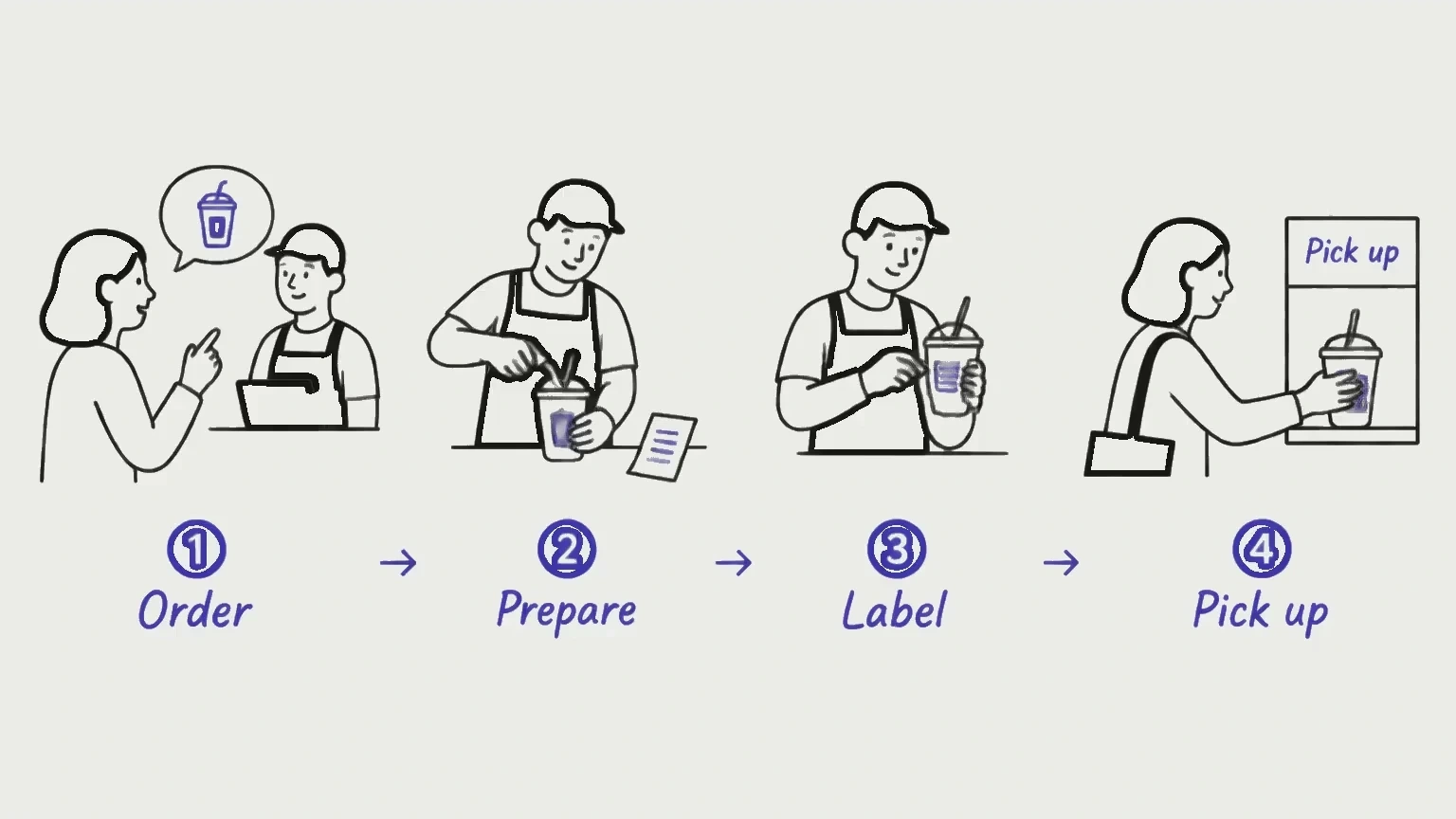
From Coffee Order to Pickup is the real Golpo Sketch video in this guide. A customer orders a drink, a barista prepares it, the finished cup is labeled, and the customer picks it up. Follow the screenshots and exact script below, then watch the actual Professional Clean output after the walkthrough.
Jump to the finished Sketch video · Preview an actual output frame · Copy the coffee-order script
Create your Sketch video
Engine: Golpo Sketch
Your prompt and choices open in the Golpo playground for review before generation. If you are signed out, choose Try Golpo for Free on the homepage to sign in, then continue to the playground. Your prompt is saved for that handoff.
How to create a Sketch video with AI in Golpo
The embedded sample was generated with Golpo’s API using the exact narration and settings below. The screenshots show the matching web inputs and settings.
1. Choose Sketch as the engine
Use the creation box above or open the Golpo homepage and choose Sketch. The box in this guide carries that engine choice into the playground. Golpo Sketch creates hand-drawn line art; it is a separate engine from Golpo Canvas.
2. Paste the exact narration in Script Mode
Switch to Script Mode in the playground. Paste the Script below to supply the spoken wording used for this example. If you simply want Golpo to develop your own idea, keep the creation box’s topic prompt in Prompt Mode instead.
Script: the spoken words
A coffee order moves through a simple chain. First, the customer tells the person at the counter which drink they want. The order is written down so the next person can follow it. Second, the barista prepares the drink from that order. The cup and the order should stay connected as the work moves along. Third, the finished cup is labeled so the customer can identify it. A name or an order number can make the handoff clear. Fourth, the drink goes to the pickup area, and the customer collects the correct cup. This is a fictional example of a workflow: order, prepare, label, and pick up. Each step passes useful information to the next, turning one request into a completed handoff.
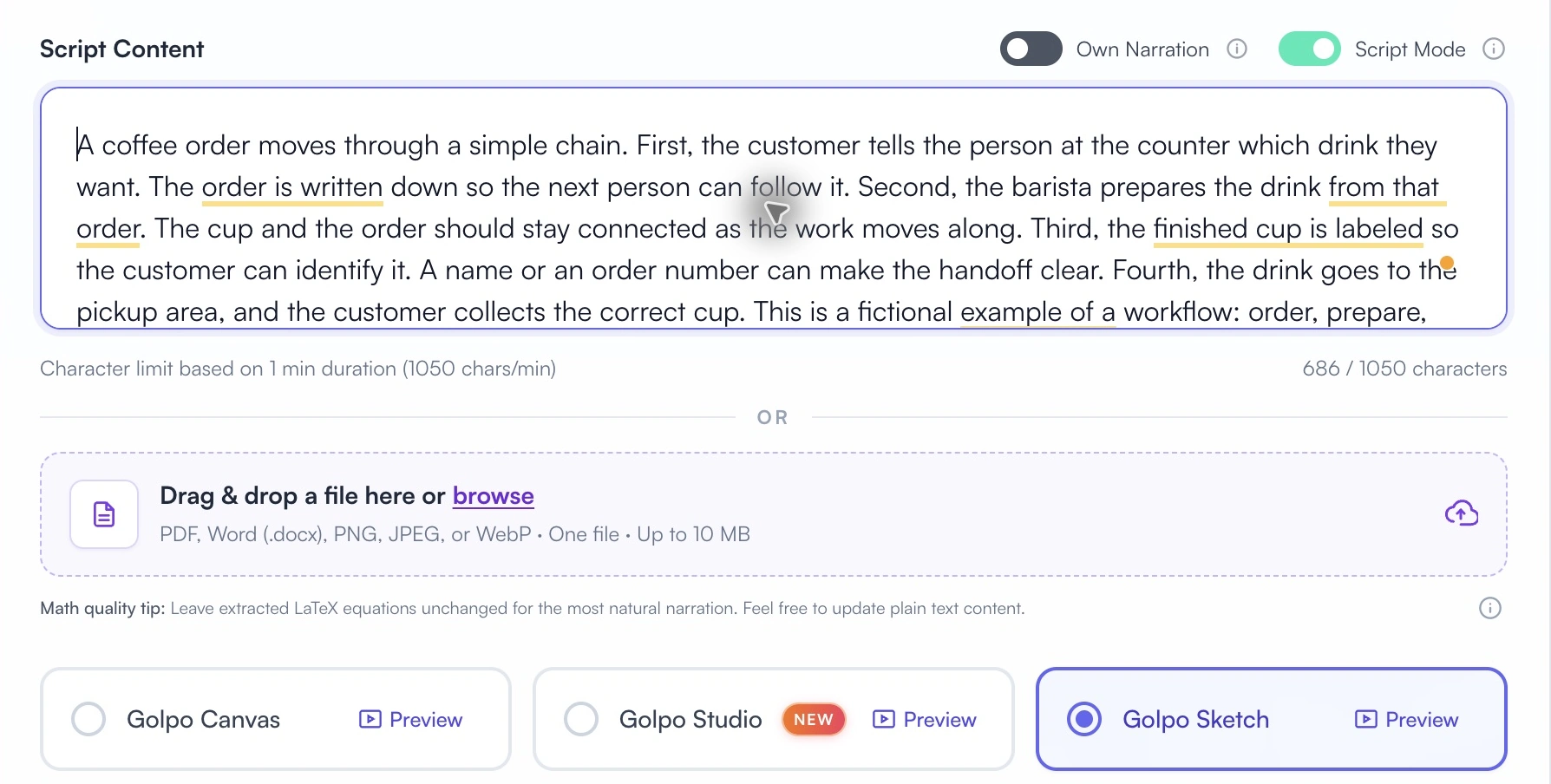
Notice how the narration follows the same four actions throughout: order, prepare, label, and pick up. Each action passes information forward. When adapting this script, keep the handoff explicit so viewers understand why one step must happen before the next.
3. Select Professional Clean and set the format
With Sketch selected, choose Professional Clean from the available Sketch styles. The example has Use color turned off and uses a landscape frame so the process labels have room. Professional Clean can still use accent colors in labels; the actual output below includes indigo accents. If a style or instruction control is unavailable, check the options in your account and the current plan details.
| Setting | Used for this example |
|---|---|
| Input | Script Mode · exact coffee-order narration |
| Engine and style | Golpo Sketch · Professional Clean |
| Narrator | Female 1 |
| Narration language | English |
| Selected length | 1 minute |
| Format | Landscape, 16:9 |
| Use color | Off in the submitted settings |
| Script-only text | Off |
| Pacing | Normal |
| Background music | None |
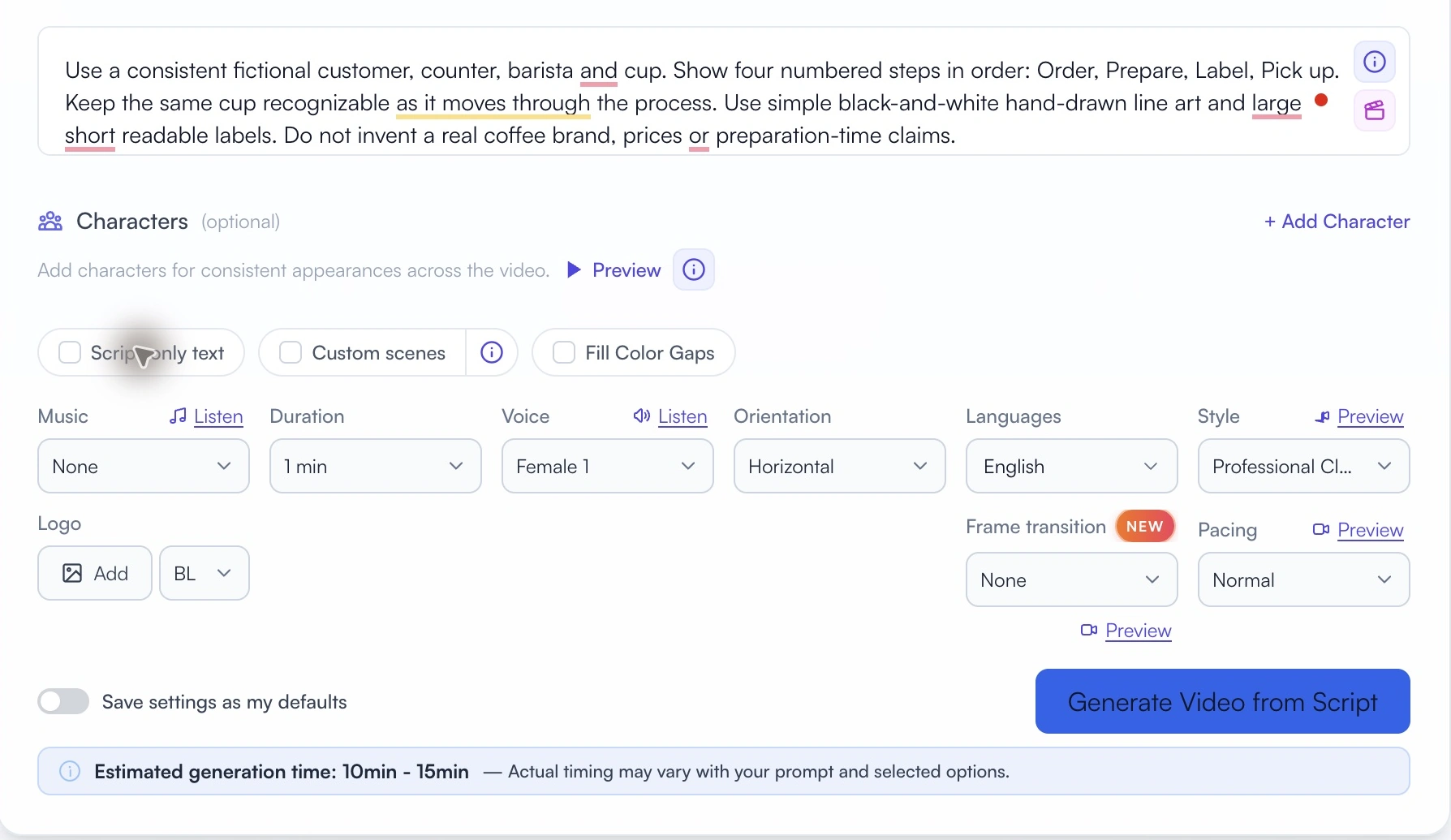
Choose a specific look before generation rather than trying to put its name in the script. The script controls what the narrator says. The engine and style controls determine how Golpo renders the drawing.
4. Describe the four drawings in Video Instructions
Keep the same customer, counter, barista, and cup recognizable through the example. Use these drawing directions in Video Instructions when that field is available. The short labels match the four actions viewers hear.
Video Instructions: what to draw
Paste this in Video Instructions, if that control is available in your account. These directions guide the pictures; they are separate from the spoken words.
Use a consistent fictional customer, counter, barista and cup. Show four numbered steps in order: Order, Prepare, Label, Pick up. Keep the same cup recognizable as it moves through the process. Use simple black-and-white hand-drawn line art and large short readable labels. Do not invent a real coffee brand, prices or preparation-time claims.
Voice Instructions: how the narrator sounds
Keep delivery guidance in Voice Instructions, separate from the script.
Speak clearly and conversationally, with a calm neutral English delivery. Read only the narration. Do not add an introduction, tagline or sign-off.
5. Generate and review the sequence
Check the selected engine, style, narration, and duration, then generate. Watch from the customer’s first request to the pickup. Confirm that the cup and its identifying information stay connected, and that the final cup is ready before collection. This review is about the actual sequence the viewer sees.
6. Share the finished explanation
Once reviewed, use the sharing or download options available in your account. Keep the script beside the output so a later process change is easy to update. For a real workplace procedure, replace the fictional coffee example with your approved steps and terminology.
Watch the finished Golpo video
This is the actual From Coffee Order to Pickup output from the inputs above. The selected length was one minute; the finished file runs 49.8 seconds.
Open the video in a separate tab. Compare what you hear with the narration and what you see with the visual directions before using the workflow for your own material.
When to choose Sketch for an explainer
Choose Sketch for a task sequence, a relationship between parts, or a simple cause and effect. The coffee example follows one cup through four actions, making the visual order easy to check.
For a richer illustrated look, follow the Canvas explainer walkthrough. For a lesson grounded in a PDF or SOP, follow the document to video guide and then choose the engine that best fits the explanation.
Frequently asked questions
How do I create a sketch video with AI?
Choose Golpo Sketch, add a topic prompt or an exact narration in Script Mode, select a Sketch look and voice, then generate and review the result. This guide uses Professional Clean and a four-step coffee-order script.
Is Golpo Sketch the same as Canvas Sharpie?
No. Golpo Sketch is the hand-drawn line-art engine. Canvas Sharpie is a look within the separate Golpo Canvas engine. For this example, select Sketch and then Professional Clean.
Do I need to draw or record my screen?
No. The example uses a written script and directions describing the four scenes. Golpo generates the narrated drawing-style video. You still review the words, labels, and sequence before sharing it.
Can I make a sketch video for free?
Golpo offers one free one-minute video with a watermark and no download. Individual styles and instruction controls depend on the plan. Check the current pricing page or the options shown in your account before selecting a particular look.
Related guides
- Make an AI explainer with a reviewed script
- Turn a source document into a video
- Choose the right input mode
- Direct the pictures with Video Instructions
Create your own Sketch video using the box above. Select Professional Clean and paste the exact script in the playground to follow this example.
Tags


