Kapwing AI Video Generator

Kapwing is a collaborative online editor with subtitles, clip tools, and AI helpers, aimed at creators and teams who already have footage. If you want to generate an explainer from a document instead of editing footage, these are the tools worth comparing. Try Golpo AI for free!

0 / 18,500

Why People Look for a Kapwing Alternative

It starts from footage
Kapwing shines when you already have video to cut, caption, and resize. It is less direct when you only have a document.
Explainer visuals are manual
Illustrating a process means finding or making visuals and placing them yourself on the timeline.
Narration is a separate task
You write a script, add a voice, and line it up with scenes rather than getting all three together.

Quick Picks

If you needPick
Narrated explainers from PDFs, slides, or SOPsGolpo AI
Editing, subtitles, and screen recordingsVEED
Fast template-led marketing and social videosFlexClip
Highlight clips from webinars and long videosPictory

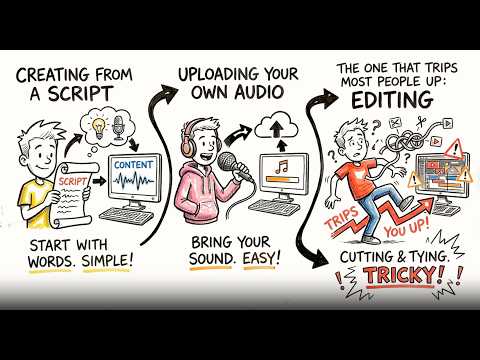
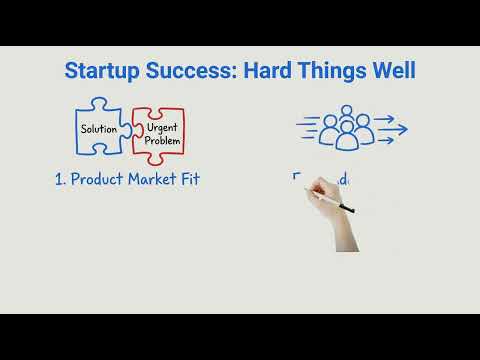
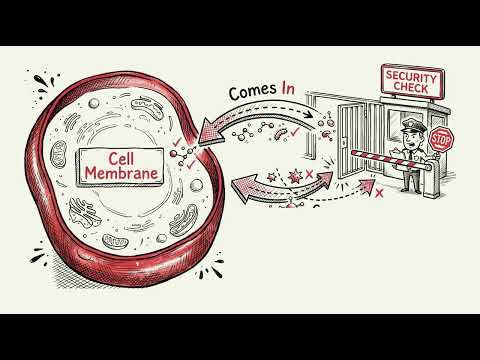
Four of Golpo's looks, none of them stock footage

Every style is drawn for your content. These are real videos, so press play to see how each one moves.

  • Editorial

    Golpo Canvas: polished, fully-illustrated scenes

  • Whiteboard

    Golpo Canvas: polished, fully-illustrated scenes

  • Technical

    Golpo Canvas: polished, fully-illustrated scenes

  • Modern Minimal

    Golpo Canvas: polished, fully-illustrated scenes

Four ways Golpo makes a video

Kapwing and similar tools assemble clips and templates. Golpo draws the video itself, and you choose the engine that suits the job.

Golpo Canvas

Illustrated scenes drawn for your script

Every scene is made from your content, so nothing comes from a shared template or stock library. Pick a look like Editorial, Technical or Chalkboard and the whole video follows it.

  • 10+ visual styles
  • Edit any scene without regenerating the rest
  • Starts from a PDF, deck, script or audio file
Golpo Sketch

Hand-drawn whiteboard animation

Each idea is sketched as the narrator reaches it, so viewers look at what is being explained. It suits training, lessons and process walkthroughs.

  • Nine looks, from Classic to Infographics
  • Narration in 45+ languages

Pen in Hand

A real hand drawing on screen

Pen, Marker and Stylus Whiteboard show a hand drawing every line. It feels like a teacher at a board, which is hard to get from templates or generated footage.

  • Pen, Marker and Stylus variants

Golpo Studio

Motion videos on any topic, up to an hour long

Studio is Golpo's general-purpose video model. It makes hand-drawn videos with purposeful motion, can match the style of a reference you give it, and keeps visuals consistent from start to finish.

  • Up to 60 minutes in one go
  • 45+ languages
  • Edit script, narration and timing after generation

The Alternatives, Ranked

  1. 1. Golpo AI

    Our pick

    Narrated whiteboard and illustrated explainers from your content

    Best for: Training, education, SOPs, and product explainers

    Golpo starts from the document, deck, script, or audio you already have. It extracts the key points, writes the narration, and draws illustrated scenes, then lets you edit any scene or component in place.

    Pros

    • Generates custom visuals instead of reusing stock footage
    • Accepts PDFs, PPT, Docs, scripts, audio, or a plain prompt
    • Narration in 45+ languages, videos up to 30+ minutes
    • 10+ visual styles and scene-level editing

    Cons

    • Not designed for cutting highlights out of long recordings

    Pricing: Free 1-minute watermarked preview. Paid plans start at $39.99 per month.

    Try Golpo Free
  2. 2. VEED

    Online video editor with subtitles, avatars, and AI tools

    Best for: Editing, subtitles, and talking-head content

    VEED is a browser-based editor known for auto subtitles, screen recording, and AI avatars. It suits creators who record or edit footage often.

    Pros

    • Auto subtitles and translation
    • Screen and webcam recording
    • Easy browser editor

    Cons

    • Better for editing footage than generating explainers
    • Documents are not the starting point

    Pricing: See current pricing on veed.io.

  3. 3. FlexClip

    Browser video editor with templates and AI tools

    Best for: Quick marketing and social videos from templates and stock media

    FlexClip is an online editor with templates, stock media, and AI helpers for scripts and voices. It suits small teams that want to finish a simple video fast.

    Pros

    • Simple browser editor
    • Templates and stock media included
    • AI helpers for text and voice

    Cons

    • Visuals come from stock and templates
    • Long, document-based explainers need manual assembly

    Pricing: See current pricing on flexclip.com.

  4. 4. Pictory

    Articles and long videos into stock-footage clips

    Best for: Repurposing blogs and webinars into short clips

    Pictory turns scripts, articles, and long recordings into short stock-footage videos and highlight clips.

    Pros

    • Highlight clips from long videos
    • Article and script to video
    • Automatic captions

    Cons

    • Stock footage looks generic for training
    • Documents like PDFs and SOPs are not the main input

    Pricing: See current pricing on pictory.ai.

How to Choose

  1. 1.

    Start from your source

    If you start from footage and clips, check how directly each tool accepts them. If you have a PDF, deck, or SOP, pick a tool that reads it directly.

  2. 2.

    Decide what the video must do

    Teaching a process needs illustrated, narrated scenes. Promoting a product usually leans on footage and templates.

  3. 3.

    Check how you will edit

    Look at whether you can change one scene without regenerating everything, and how much manual timeline work is involved.

  4. 4.

    Try it on a real piece of content

    Run the same source through two tools and compare the first draft. That shows the difference faster than a feature list.

Kapwing Alternatives: Frequently Asked Questions

OverviewWhat is the best alternative to Kapwing?

It depends on the job. For narrated explainers from documents, Golpo AI is the closest fit. VEED, FlexClip, and Pictory each suit a different need, so compare them on a piece of content you already have.

StrengthsWhat is Kapwing best at?

Kapwing is best at editing and repurposing: subtitles, resizing, clip creation, and collaborative edits on footage you already have.

VisualsIs there a Kapwing alternative without stock footage?

Yes. Golpo AI generates custom whiteboard and illustrated scenes from your content, so you do not need existing footage.

DocumentsCan I turn a PDF or PowerPoint into a video?

Golpo AI accepts PDFs, PowerPoint decks, and Google Docs and writes the narration for you. Kapwing is built around editing media you bring to it.

PricingAre there free Kapwing alternatives?

Golpo AI offers one free 1-minute watermarked preview with no credit card, which cannot be downloaded. Paid plans start at $39.99 per month. Other tools have their own free tiers and limits, so check each pricing page.

Create Videos That LookLike Yours, Not Stock

Turn a document, deck, or script into a narrated explainer with custom visuals.